Can You Trust an AI That Acts? Done, and Checked
In short
Visible progress is a card someone marked done. Actual progress is the work itself, checked.
When an AI does the work for you, the gap gets wider, unless it asks before anything goes out, re-reads every change and tells you every miss.
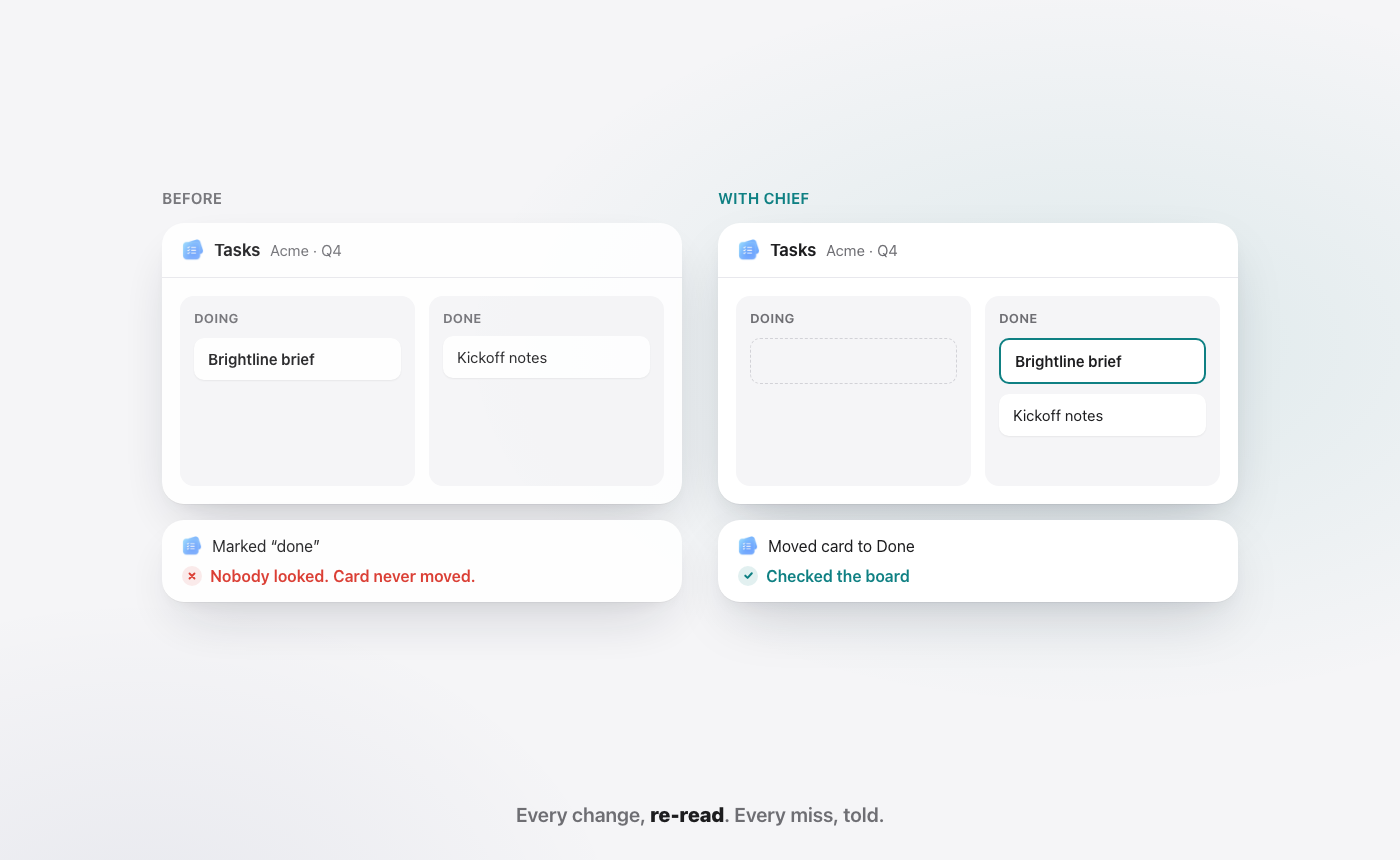
A card moves from "Doing" to "Done." It feels like progress. It might not be. It is a claim, typed by someone who was busy and wanted to keep up.
That is the quiet problem with every status board. The board does not watch the work. It watches the person reporting the work. Under pressure, people report hopefully. So the board fills with green, and the green tells you less than it seems to.
The board lies. Not because anyone is dishonest. Because the board only knows what it is told.
Now hand the work to an AI, and the same question gets sharper. If the AI says "done," how do you know?
What is the difference between visible and actual progress?
Visible progress is anything that looks like movement: a card dragged across a column, "on track" in a standup, a doc marked complete. Actual progress is the outcome those signals are supposed to stand for: the email really sent, the date really moved, the numbers really match the sheet.
Most of the time the two line up. The trouble is the times they do not, because nothing tells you which is which. A project can look mostly green and still be stuck, because the one task everything depends on was never started and nobody updated that card.
So the useful question is never "is it marked done?" It is "did anyone look?"
Why does the gap get worse when AI does the work?
When a person says "done," you can ask them a follow-up question. When an AI says "done," most people simply believe it, because it sounds sure of itself.
That is the risk with AI that acts. A chat assistant that only writes text can be wrong, and you will usually notice before anything happens. An AI that sends mail, moves meetings and edits sheets can be wrong in ways you only find out about later. A reply that says "I've updated the sheet" is still visible progress. It is a claim, not a check.
The big office suites are moving the same way. Google says Gemini works in "Gmail, Docs, Sheets, Meet, Chat, Vids, and more" (Google Workspace AI). Microsoft says Copilot Cowork sends emails, schedules meetings and creates documents, and that before an important action "it pauses and asks for your go-ahead" (Microsoft Learn, Copilot Cowork overview). Both as of October 2026. Asking first is becoming the standard, which is good. It also means the trust question applies to every suite you might pick, and the next question is what happens after the yes. Our Google Workspace vs Microsoft 365 guide compares how the big two approach AI.
If you are going to hand real work to an AI, you need it to close the gap a board never could. That comes down to three habits.
What should an AI do before it says "done"?
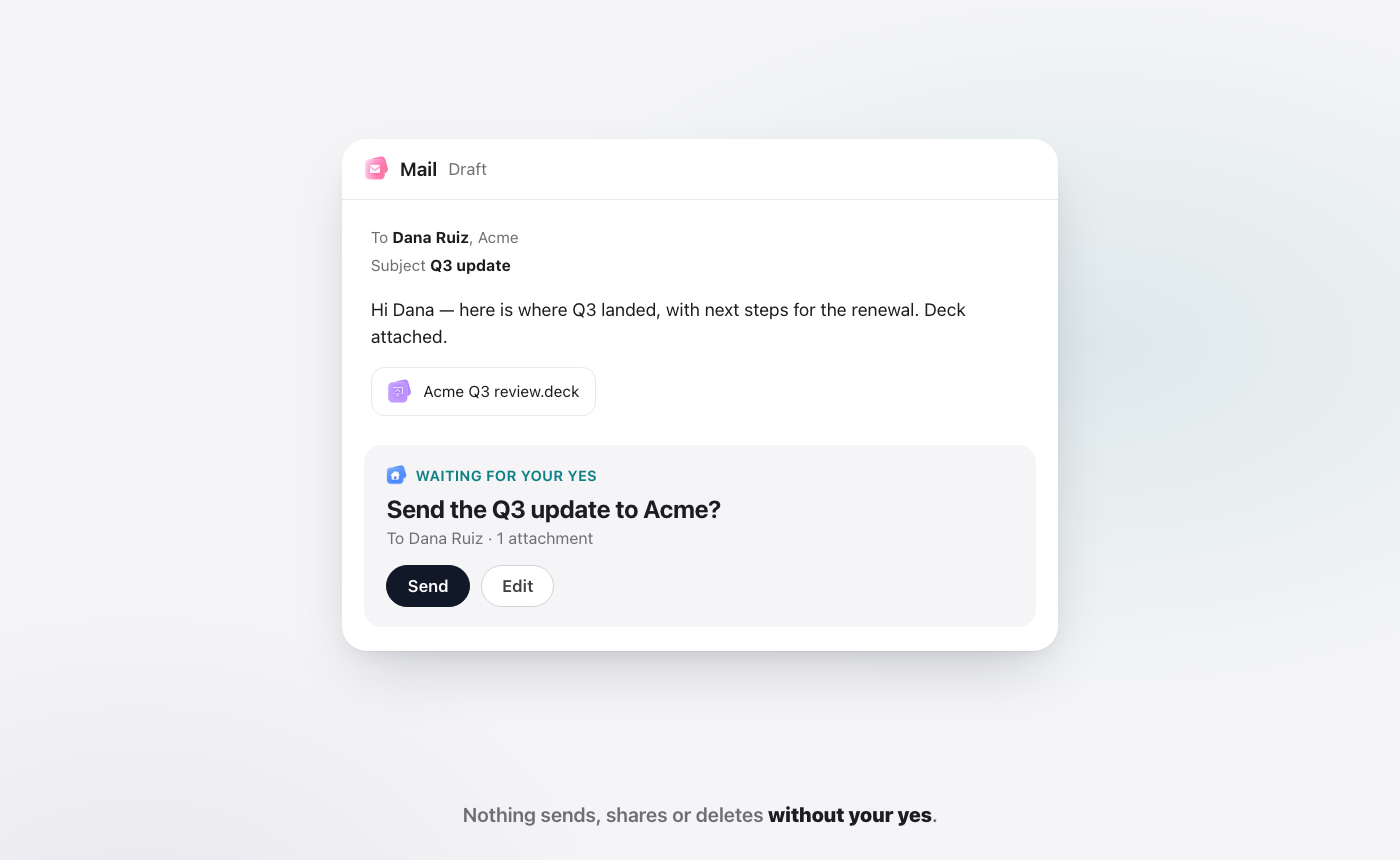
It should ask first. Anything that leaves your hands, a sent email, a shared file, a deleted item, should wait for your yes. You see the draft, who it goes to and what is attached, then you choose Send or Edit. Nothing goes out on a guess.
It should re-read what it changed. After moving a card or writing a row, the AI should look at the result, not at its own intention. "Moved the card to Done" is the action. "Checked the board" is the proof.
It should tell you every miss. If something did not work, you hear about it in plain words. A quiet failure dressed up as success is worse than no help at all, because now you trust a board that is wrong.
None of these are clever. They are what a careful colleague does. The difference is doing them every single time, including at the end of a long day.
Why these three habits, and not more?
Each habit catches a different kind of mistake.
Asking first catches the wrong intent. The AI understood your request, but not the way you meant it. Maybe it picked the wrong Dana, or attached last month's deck. A draft you can read before it goes out is the cheapest place to catch that.
Re-reading catches the wrong result. The AI meant the right thing, but the change did not land as planned. The row was written to the wrong sheet. The meeting moved, but one invite failed. You only find that by looking at what is really there now.
Telling every miss catches the silent failure. Sometimes a step just does not work. An honest AI says so. A dishonest one, or a careless one, carries on and calls it done. This is the habit that decides whether you can believe the other two.
Together, they cover the path from "what you asked" to "what actually happened." Take any one away and a gap opens.
Is asking first enough on its own?
No, and this is the part most people miss. Asking first protects the moment before an action. It says nothing about the moment after.
Picture a yes you gave in good faith. You read the draft, it looked right, you clicked Send. If the send failed, or went to the old address, the approval does not save you. You approved an intention. What you need next is a look at the result.
That is why "it asks before it sends" and "it checks its own work" are two separate promises. An AI that only asks first is a polite AI. An AI that asks first and then re-reads the change is one you can stop double-checking by hand. When you compare AI assistants, ask both questions, and ask a third: what does it say when something fails?
How does WorkElate's Chief handle this?
Chief is the AI inside WorkElate, the AI-native office suite. It works across Docs, Sheets, Slides, Mail, Chat, Calendar, Tasks, Canvas, Forms and Journey, with Hub as home. Because it acts inside the apps instead of beside them (the idea behind why AI should execute, not just assist), the three habits above are built into how it works.
Say Priya Sharma asks for the Q3 numbers. Chief reads the Q3 Pipeline sheet, drafts the email, checks that the figures in the draft match the sheet, and then stops. The draft sits at "Waiting for your yes." You read it, click Send or Edit. Nothing sends, shares or deletes without your yes.
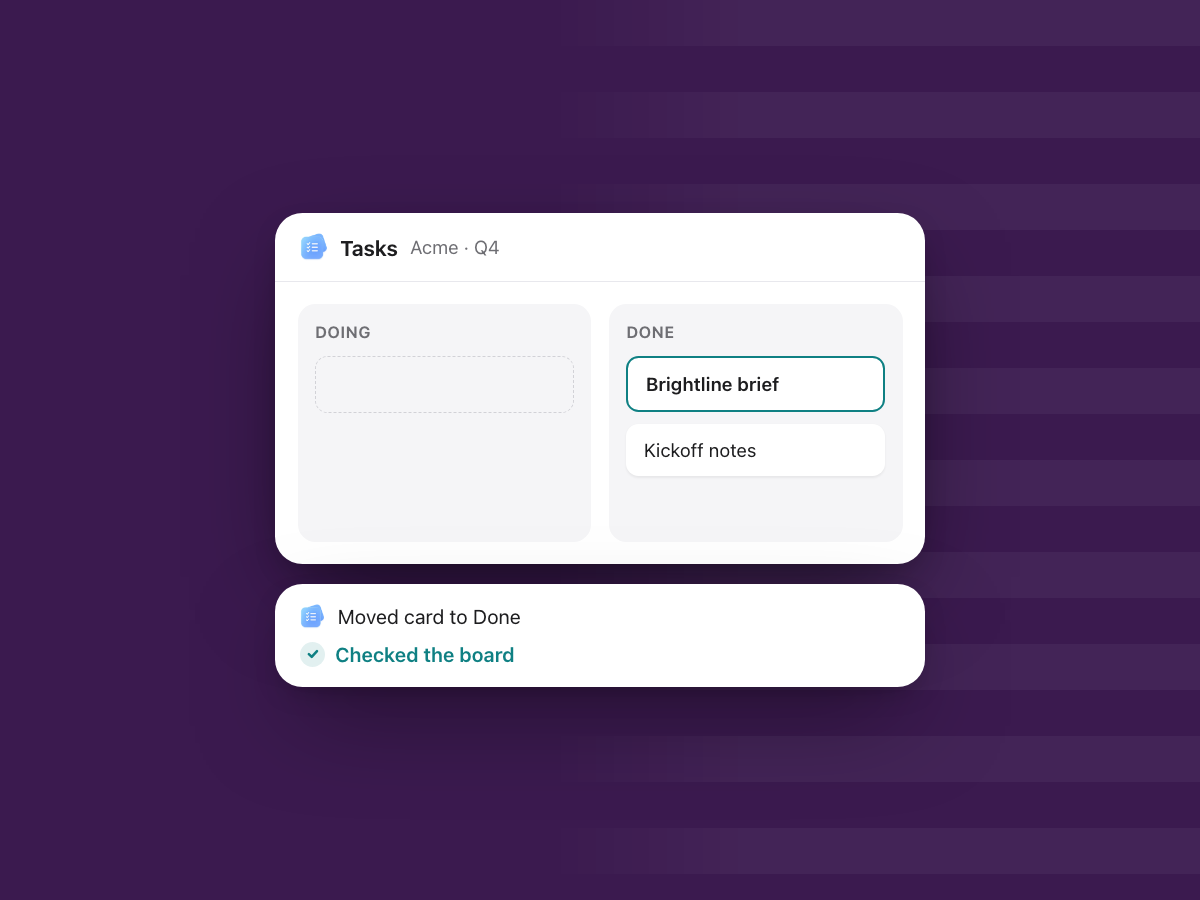
Or say you ask Chief to move the Brightline brief to Done in Tasks. It moves the card, then re-reads the board to confirm the card is really there. If the move did not land, it tells you so, instead of reporting a success that never happened.
What does "done, and checked" look like on a real day?
Scenario. Brightline Studio, Acme and the people below are demo names, not a customer story.
Say you run Brightline Studio. Here is one Tuesday, told through what you asked and what Chief did.
8:45. "Send Priya the Q3 numbers." Chief reads the Q3 Pipeline sheet and drafts an email to Priya Sharma with the table. Before showing it to you, it checks the numbers in the draft against the sheet. The card says "Matches Q3 Pipeline." Then it waits. You read it and click Send.
10:30. "Move the Acme review to Friday." Chief finds that Friday at 3 pm is free for all three people. It lines up the prep task for Thursday and drafts a note to Dana Ruiz, Arjun and Neha. The confirm card reads "Move to Fri 3 pm and tell 3 people?" You click Move & send. Then Chief re-reads the calendar to make sure the meeting is really on Friday.
12:15. "Mark the Brightline brief done." Chief moves the card in Tasks, then reads the board back. The card is in Done. You see "Moved card · Checked the board," not just "Done."
15:00. A miss. Say you ask Chief to add a row to a budget sheet that someone else has just renamed. The step does not land where it should. Instead of "Updated the sheet," Chief tells you plainly that the change did not go through, so you can point it at the right sheet or fix it yourself. That message is the most useful thing it says all day.
17:30. The end of the day. What went out today went out because you said yes. What changed was re-read. What failed was told. You do not need to open five apps to find out what really happened.
Visible vs actual: what changes in practice?
| Visible progress | Actual progress | |
|---|---|---|
| What you see | A card in Done, "on track" in chat | The change itself, re-read after it was made |
| Who checks | Nobody, unless someone remembers | Chief, every time it changes something |
| What goes out | Whatever was typed, when it was typed | Only what you said yes to |
| When it fails | You find out in a meeting next week | You are told right away, in plain words |
The table is not about working harder. It is about moving the checking from people's memory into the work itself. That is also how you stop paying the hidden cost of chasing around every task.
Who on a team needs "done, and checked"?
Everyone who signs off on work they did not do themselves. Here is what it means by role.
Founder. Your name is on the client email and the investor update. You want to see the exact draft, the recipient and the attachment before it leaves. A yes from you is the last step, and you know what you said yes to.
Operations. Ops lives on moved meetings, updated trackers and handoffs. A change that is re-read after it is made means fewer "did that actually go through?" messages at the end of the week.
Sales. A wrong number in a proposal is expensive. When the draft is checked against the pricing sheet before you see it, you are reviewing the message, not re-adding the figures.
Account lead. Clients notice when the review moved but the invite did not. Re-reading the calendar after a move is the small check that saves the awkward call.
Finance. An invoice total that does not match the sheet is the classic quiet error. A check against the source, plus an honest miss report, is the kind of control finance teams already trust.
HR. Offer letters and policy notes go to one person at a time, and the wrong recipient is a real problem. Waiting for your yes, with the name in front of you, is the safeguard that matters most here.
Each of them currently does a small check by hand, or skips it and hopes. A check that happens every time, without anyone remembering to do it, is what turns a green board back into something you can trust. It is also why fewer things turn into follow-ups you have to chase.
What does this not do?
Trust is easier to give when the limits are clear. Here they are.
It does not make the AI never wrong. Chief can misread a request, like any assistant. The habits exist because mistakes happen. They make mistakes visible and early, not impossible.
It does not judge whether the work was a good idea. Re-reading proves the change landed. It does not tell you whether moving the review was the right call. That judgement is still yours.
It does not skip your yes to save time. If you want an AI that sends mail with no one looking, this is not it. Asking first is slower by a click, on purpose.
It does not check work done outside WorkElate. Chief re-reads changes it made in the suite's apps. A file edited in another tool is outside what it can see.
How do you start trusting an AI that acts, in week one?
Trust is earned in small steps. Give the AI low-stakes jobs first, and watch the habits work.
Day 1. Ask, don't act. Ask Chief questions about your own work. "What changed in the budget sheet this week?" Check the answers against the files.
Day 2. Let it draft. Ask for an internal email draft. Read the confirm card: the recipient, the subject, the attachment. Send it, or edit it.
Day 3. Let it change something reversible. Move a task, update a row, shift an internal meeting. Then look for the check: did it re-read the board or the calendar?
Day 4. Look for a miss. Ask for something that cannot quite work, such as an edit to a sheet that does not exist. See how it tells you.
Day 5. Hand it one real client job. A status email, with you approving the send. By now you know what the confirm card shows and what a check looks like.
You can read how WorkElate handles your data on the security page.
FAQ
What is visible progress?
Visible progress is any sign that work is moving: a card marked done, a status update, a "looks good" in chat. It is useful, but it is a claim made by a person or a tool. It only becomes actual progress once someone has checked that the work behind it really happened.
Can I trust an AI to do work without checking it myself?
Only if it is built to check itself and ask before anything leaves your hands. An AI you can trust re-reads every change it makes, tells you when something did not work, and waits for your yes before anything is sent, shared or deleted. Chief in WorkElate works this way.
Does Chief send emails on its own?
No. Chief drafts the email, checks it against the source, and then waits. You see the draft, the recipient and any attachment, and you choose Send or Edit. Nothing sends, shares or deletes without your yes.
What happens when Chief gets something wrong?
It tells you. After every change, Chief re-reads the result. If a change did not land, it says so in plain words instead of reporting success, so you can fix it or ask it to try again before anyone else relies on it.
Does the checking cost extra?
No. Asking first and re-reading every change are part of how Chief works, and AI is included on every WorkElate plan with no add-on.
Start free and see what "done, and checked" feels like on your own work.


