Zoho Workplace Alternative: When to Switch, What to Keep
In short
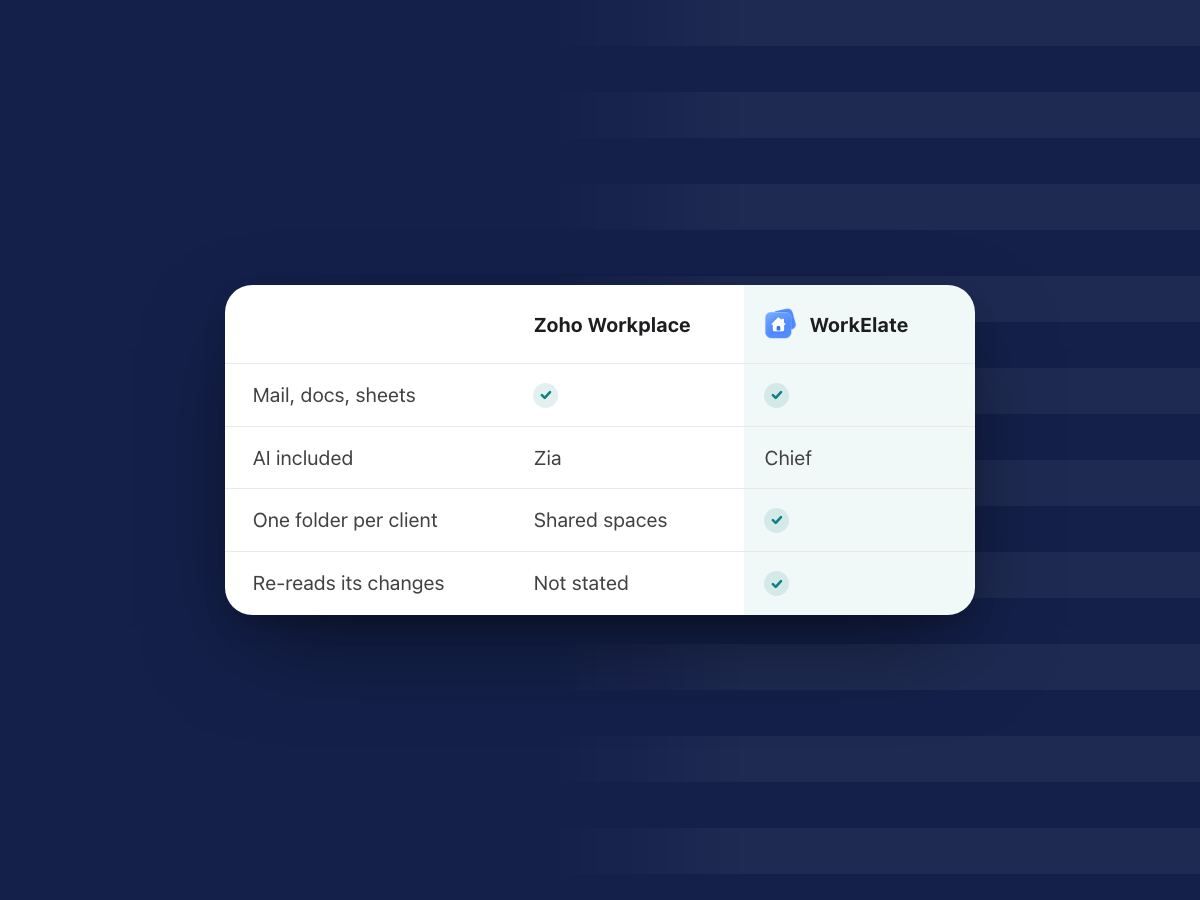
Zoho Workplace is hard to beat on price, mail hosting and the wider Zoho One range, and Zia is included on every paid plan.
Look at an alternative like WorkElate when you want one AI that does the work across all your apps, asks before anything goes out, and keeps each client in one folder.
Zoho Workplace is the suite many Indian and small-business teams pick first, and for good reasons. It is cheap, it hosts your company email well, and it sits inside a much bigger family of Zoho business apps. If you are reading this, you probably are not unhappy with Zoho. You are asking a narrower question: is there something that saves more of your team's time?
This post answers that fairly. Where Zoho is stronger, we say so. Where WorkElate works differently, we show what that looks like on a normal working day. All Zoho facts come from Zoho's own pages, as of October 2026.
What does Zoho Workplace cost and include?
As of October 2026, Zoho's pricing page lists these plans:
- Workplace Standard: US$3 per user per month billed annually (US$4 monthly). In India, ₹99 billed annually (₹129 monthly). Mail, Calendar, WorkDrive, Writer, Sheet, Show, Cliq, Meeting, ToDo and Vault.
- Workplace Professional: US$6 per user per month billed annually (US$7 monthly). In India, ₹399 billed annually (₹489 monthly). Adds mail retention, more storage and Connect.
- Mail Lite and Mail Premium: mail-only plans from US$1 per user per month (₹59 in India), yearly only.
- Forever Free: up to 5 users and one domain, in select data centres.
Prices shown in your region may differ. Zoho also offers a 15-day free trial of its top plan.
On AI, Zoho is clear: "Zia's AI features are included across all paid plans of Zoho Workplace at no additional cost," says its AI page. That matters. Some suites charge extra for the AI. Zoho does not.
What does Zoho do better than WorkElate?
Quite a lot, and it is worth being honest about it before you switch anything.
Price you can read off a page. Zoho's per-user prices are public and low. WorkElate's pricing is quote-based. If a published rupee figure is what decides it, Zoho wins this row.
Mail hosting depth. Zoho started as an email-first suite. It has mail-only plans, a free tier for small teams, mail retention on Professional, and migration of "mails, contacts, calendars, and notes" from Microsoft 365 or Google Workspace, according to its Workplace page. For companies above 50 users, it adds a dedicated person to guide the move.
The wider Zoho family. Zoho One bundles "50+ unified business apps," per Zoho One pricing, including CRM, finance and HR. If you already run your sales and books on Zoho, Workplace fits right in.
India hosting and model choice. Zoho says Workplace is "made and hosted in India." Admins can connect "GPT, Gemini, Claude, Cohere, and other LLMs" to power Zia, and Zoho says it does not use your data to train outside AI models.
Desktop and offline. Zoho includes desktop apps for macOS and Windows, and Mail, Writer and Show keep working without an internet connection, according to Zoho's FAQ.
How is Zia different from Chief?
Both are AI included in the plan. The difference is in how far the AI goes and how it behaves when it acts.
Zia, per Zoho's AI page, is strongest in mail. It suggests replies, summarises long threads and enriches contacts. Ask Zia can "take action across Mail, Calendar, WorkDrive, and more." Zia Agents handle jobs like mailbox cleanup, threat checks and lead capture into Zoho CRM. The page names no Zia features for Writer, Sheet, Show, Cliq or Meeting.
Chief is the one AI inside WorkElate, the AI-native office suite. It reads and acts across Docs, Sheets, Slides, Mail, Chat, Calendar, Tasks, Canvas, Forms and Journey, with Hub as home. There is nothing to connect. Ask it to send Priya Sharma the Q3 numbers and move the review to Friday, and it reads the sheet, drafts the email and prepares the calendar change, in the apps themselves.
Does the AI ask before it acts?
This is the row we would look at hardest, because an AI that acts can also act wrongly.
Zoho's AI page shows an approval step for one agent: the Cleanup Agent suggests a plan, and "once that's approved," it acts. For the other agents, the page does not state an approval step. The Threat Mitigation Agent, for example, "automatically sets up incidents for admins."
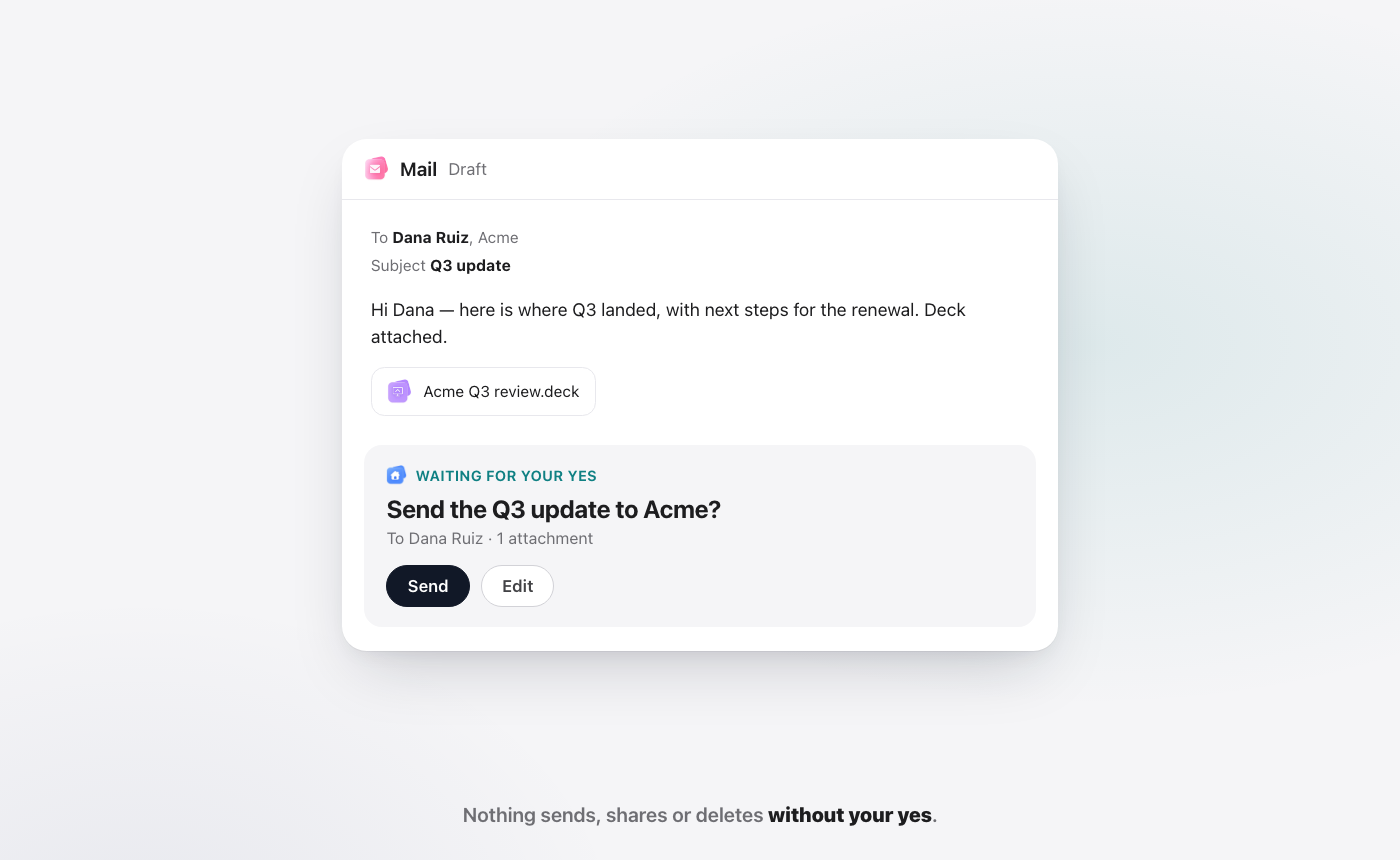
Chief works one way for everything that leaves your hands. Anything that sends, shares or deletes waits for your yes. You see the draft, who it goes to and what is attached, then choose Send or Edit. After every change, Chief re-reads the result and tells you in plain words if something did not work. Zoho's pages do not say whether Zia checks its own work afterwards.
If your team would rather approve each outgoing action than discover it later, this difference is the one that counts.
Why does one folder per client matter?
In most suites, files live by type. Mail sits in the mail app, the budget in the sheet app, the deck in the slides app. When a client calls, you open four places to find out where things stand.
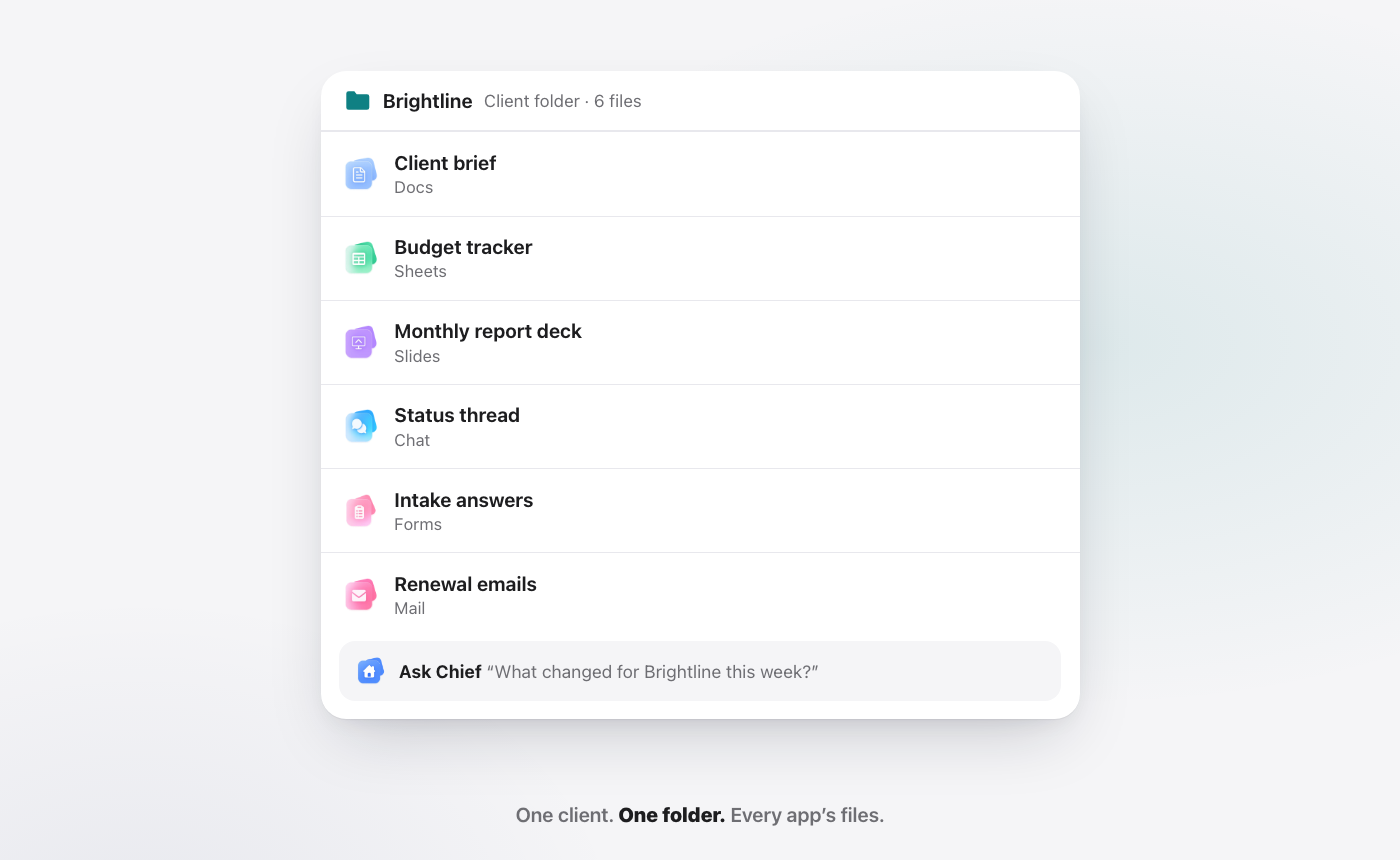
In WorkElate, one Hub folder holds everything about a client: the brief in Docs, the budget in Sheets, the deck in Slides, the chat thread and the form answers. Chief reads the whole folder, so "what is open with Acme?" has one answer. We go deeper on this in all-in-one vs disconnected tools.
Each morning, Start my day sorts your work into Needs you, Slipping and Handled, with a "Because…" line on every item, like "Because the renewal quote expires today." That helps the whole team, not just the founder: the account lead, the finance lead approving an invoice, the HR lead sending an offer letter.
Zoho Workplace vs WorkElate: how do they compare?
| Zoho Workplace + Zia | WorkElate + Chief | |
|---|---|---|
| Price (as of Oct 2026) | From ₹99 / US$3 per user per month, billed annually (source) | Quote-based (pricing) |
| AI in the plan | Zia included on all paid plans | Chief included on every plan, no add-on |
| Where the AI works | Mail, Calendar, WorkDrive "and more" | Docs, Sheets, Slides, Mail, Chat, Calendar, Tasks, Canvas, Forms, Journey |
| Asks before acting | Shown for the Cleanup Agent | Every send, share and delete waits for your yes |
| Checks its own work | Not stated on Zoho's pages | Re-reads every change, tells you every miss |
| Organised by client | "A single space" for files, tasks and calendars | One folder per client, every app's files in it |
| Mail hosting and migration | Strong: mail-only plans, free tier, migration tools | Mail app inside the suite |
| Wider business apps | Zoho One, 50+ apps | The office suite only |
For a short side-by-side, see WorkElate vs Zoho Workplace. For the bigger picture across office suites, read Google Workspace vs Microsoft 365.
How do you switch from Zoho Workplace without breaking anything?
You do not have to move everything on day one. A calm switch looks like this:
Start with one client. Pick an account with real activity this month. Put its working files into one WorkElate folder: the current brief, the budget sheet, the latest deck.
Keep Zoho Mail running. Your domain, mailboxes and archives can stay where they are while you try WorkElate on live work. Nothing has to be cut over to start.
Give Chief the daily jobs. Status updates, follow-ups, moving meetings, pulling numbers into an email. Watch what it asks you before acting, and what it tells you after.
Decide after a few real weeks. If the team spends less time chasing and checking, widen it client by client. If not, you have lost little and kept Zoho intact.
Who should stay on Zoho Workplace?
Stay on Zoho if a low, published per-user price is the deciding factor. Stay if mail hosting is your main need, or if you already run CRM, books and HR on Zoho One and want everything on one invoice. Stay if you need offline desktop work or India hosting written into a vendor page today.
Look at WorkElate if your team's real cost is the chasing around the work: finding files across apps, re-checking what an AI did, rebuilding status for every client call.
FAQ
Is Zia included in Zoho Workplace?
Yes. As of October 2026, Zoho says Zia's AI features are included across all paid plans of Zoho Workplace at no additional cost. Chief is included on every WorkElate plan too, with no add-on.
What is the cheapest Zoho Workplace plan?
Forever Free covers up to 5 users on one domain in select data centres. The cheapest paid suite plan, Workplace Standard, is listed at ₹99 or US$3 per user per month billed annually, as of October 2026, on Zoho's pricing page.
Can I use WorkElate and Zoho Mail together?
Yes. You can start WorkElate on one client and keep Zoho Mail running, then decide later whether to move more.
Does Chief send emails or delete files on its own?
No. Chief drafts and prepares the change, then waits. Nothing sends, shares or deletes without your yes, and Chief re-reads every change afterwards to confirm it landed.
Start free and try Chief on one client this week.


