Coordination Overhead: The Hidden Cost of Every Task
In short
The expensive part of most work is not the task. It is the chasing around it: asking for status, nudging, re-sending, checking. Hand the chasing to an AI that asks before it sends, and keep the judgment calls for yourself.
You add a task: "Send Acme the Q3 update." It looks like ten minutes of work. Then the real work starts. You need the latest numbers from the sheet. You ask finance if they are final. You wait. You find the deck from last quarter. You check whether Dana Ruiz still wants it by Friday. You write the email, then remember to follow up when she does not reply.
The task took ten minutes. Everything around it took the afternoon. That surrounding work has a name: coordination overhead.
What is coordination overhead?
Coordination overhead is the work a task creates for other people before it is done. Status checks, follow-ups, handoffs, "is this final?" messages, meetings held only to share updates. None of it moves the task forward on its own. All of it has to happen anyway.
Task tools count tasks. They do not count the overhead. A board can show twelve cards moved to Done this week and say nothing about the forty messages it took to move them. That is why a team can look on track and still feel underwater.
Why does coordination grow faster than the work?
One task on its own is cheap to coordinate. You know what it is and you do it. The cost lives in the links between tasks and people.
Every handoff is a link. Every "waiting on finance" is a link. Every person who needs to know is a link. Add more work and you add more links between the pieces, and each link needs a human to check it. So when a team grows, the chasing often grows faster than the team does.
This is why hiring does not always fix a busy team. You add a person, and you also add every conversation that person now needs to be part of. Your strongest people end up as routers, passing updates between everyone else.
How do you spot coordination overhead on your team?
Look for these signs in a normal week:
- The same question gets asked twice. "Where are we with Acme?" comes up in chat on Monday and again in a meeting on Wednesday.
- Status lives in people's heads. The tool says one thing, and the truth comes from asking someone.
- Follow-ups are manual. Somebody keeps a mental list of who has not replied.
- Meetings exist to share updates. Nobody decides anything. Everyone reports.
- Leaders chase. The founder or account lead spends the first hour of the day finding out what needs them.
If three of these sound familiar, the problem is not effort. The problem is that chasing has no owner, so it lands on whoever cares most. We dig into why chasing exists at all in why follow-ups exist at all.
What should you hand to an AI, and what should you keep?
Not all coordination is the same. Some of it is mechanical: gathering, drafting, checking, reminding. Some of it is judgment: deciding, promising, saying no. The mechanical part is a good fit for an AI. The judgment part is yours.
| Hand it to an AI | Keep it yourself |
|---|---|
| Pulling the latest numbers from a sheet into a draft | Deciding whether the numbers are good enough to share |
| Drafting a follow-up to a client who has not replied | Choosing the tone with a client who is upset |
| Checking whether a task actually moved after someone said it did | Deciding who owns a task when two people want it |
| Listing what is slipping and why | Deciding what to drop when everything is slipping |
| Moving a meeting when the client asks for a later time | Promising a new deadline |
| Building the first draft of a status deck from the real files | Presenting it and reading the room |
The rule of thumb: if the work is gathering or checking, hand it over. If the work is a promise to another person, keep it, or at least approve it before it goes out.
How does an AI take the chasing without taking control?
The fear with handing coordination to software is fair. Nobody wants an AI emailing a client on its own. So the setup matters more than the model.
In WorkElate, Chief works across Docs, Sheets, Slides, Mail, Chat, Calendar, Tasks, Canvas, Forms and Journey. It can read the Q3 sheet, draft the email to Priya Sharma, and attach the table. Then it stops. Nothing sends, shares or deletes without your yes.
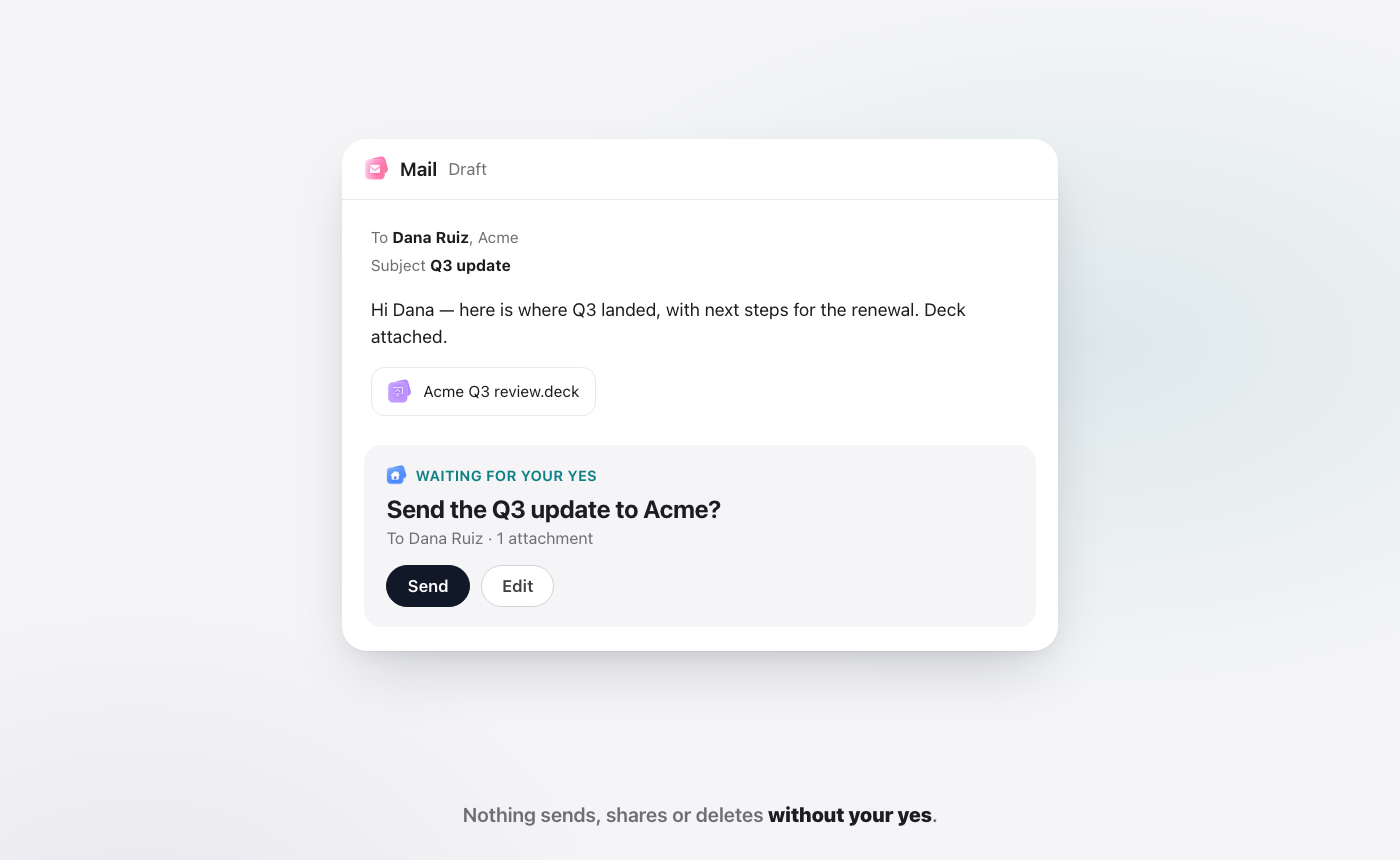
After it acts, Chief re-reads the change. If it moved a card, it checks the board. If something did not work, it tells you. That second step matters because "done" and "checked" are not the same thing. We wrote more on that gap in visible progress vs actual progress.
What does a day look like with less chasing?
The biggest win is not any single action. It is starting the day already knowing what needs you.
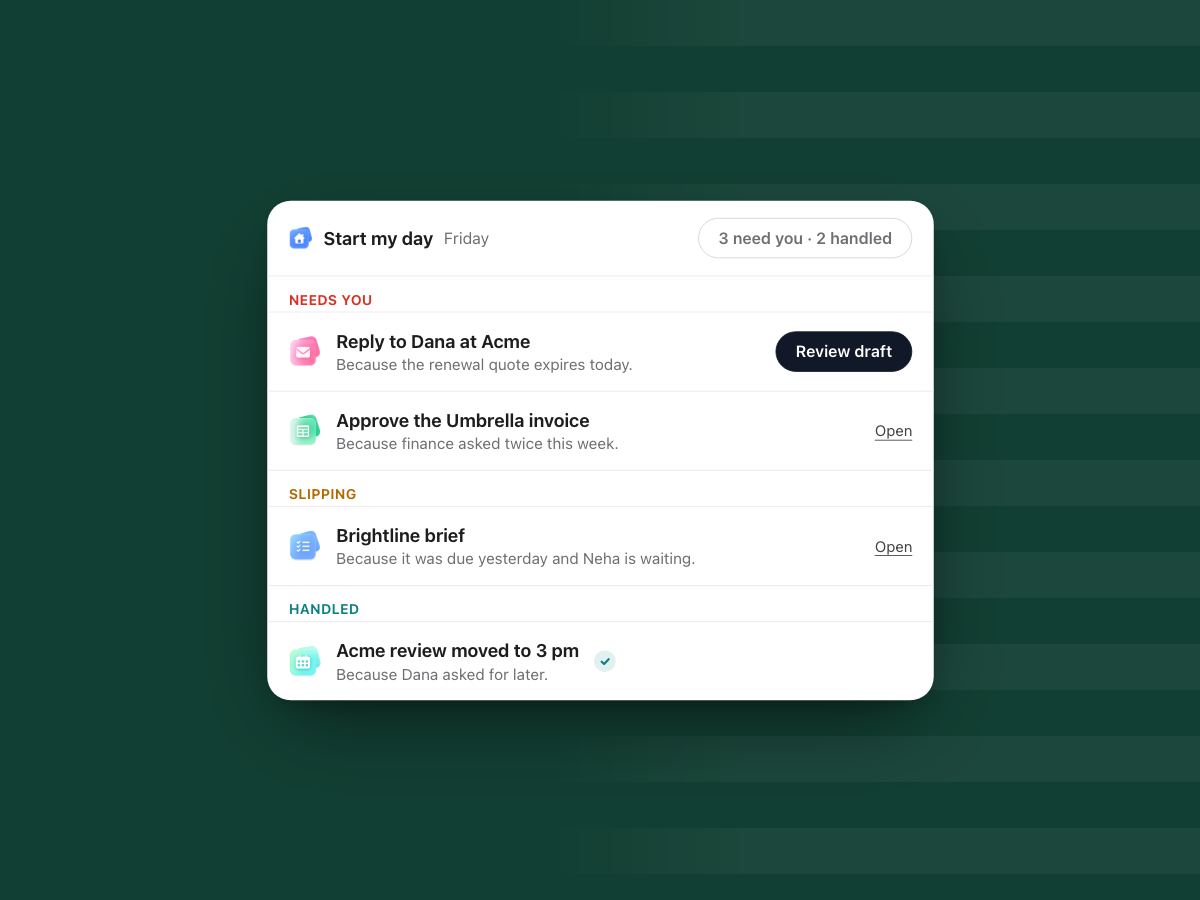
Start my day in WorkElate sorts your morning into three lists. Needs you: reply to Dana at Acme, because the renewal quote expires today. Slipping: the Brightline brief, because it was due yesterday and Neha is waiting. Handled: the Acme review moved to 3 pm, because Dana asked for later. Every line carries a "because", so you can see the reason, not just the item.
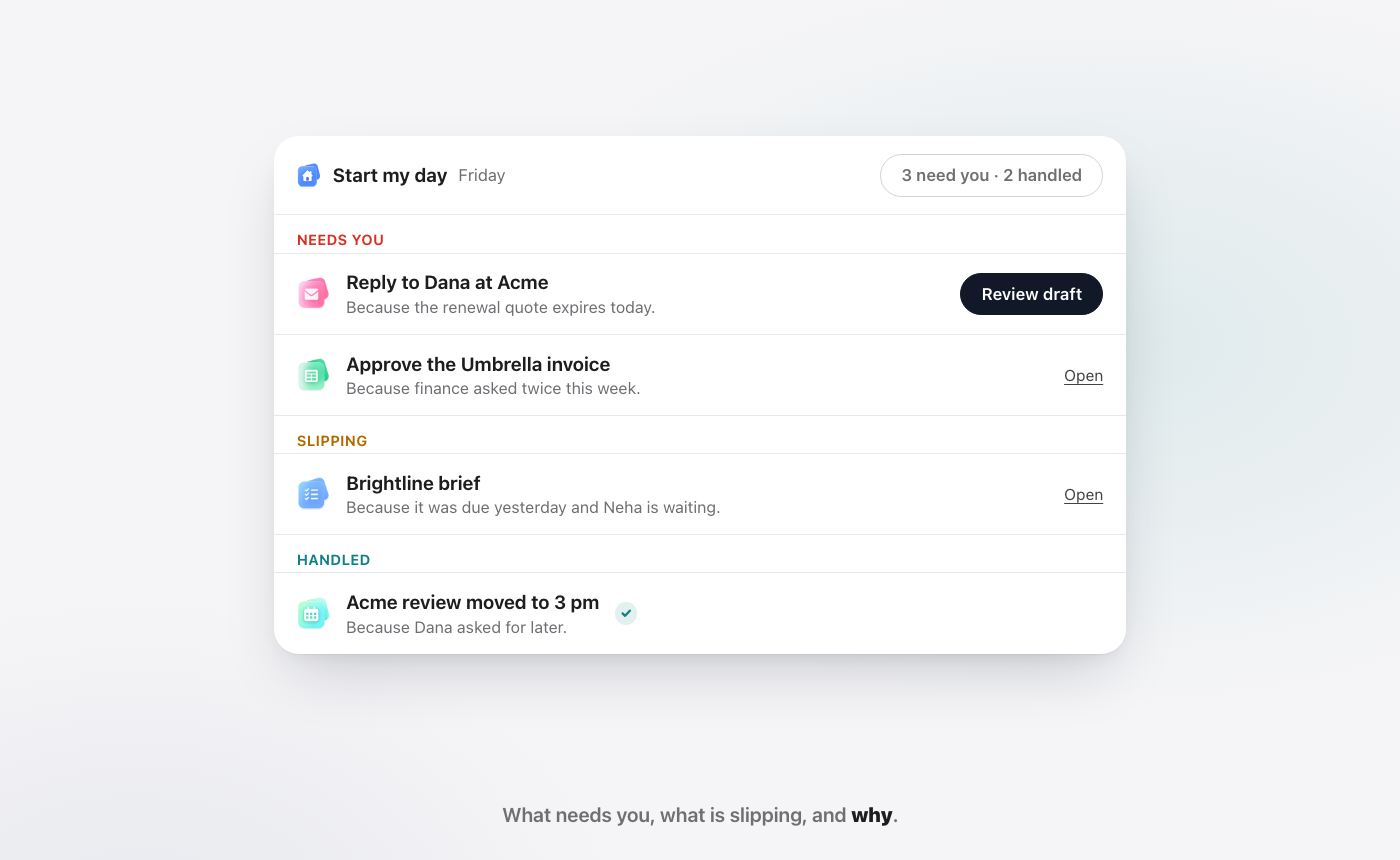
That is what coordination looks like when it has an owner. You still make the calls. You just stop spending the first hour of the day finding out which calls to make. And fewer pings means fewer breaks in focus, which matters more than it sounds. See what context switching costs for why.
FAQ
What is the difference between coordination overhead and real work?
Real work moves the outcome forward: writing the proposal, fixing the budget, talking to the client. Coordination overhead is the work around it: asking for status, chasing replies, re-sharing files, and meetings held only to share updates. Both are needed, but only one is what you were hired for.
Can AI reduce coordination overhead?
Yes, for the mechanical part. An AI that works inside your apps can gather files, draft follow-ups, flag what is slipping and check that changes landed. It should ask before anything goes out to another person, so judgment and promises stay with you.
Does Chief send emails on its own?
No. Chief drafts the email and waits. Nothing sends, shares or deletes in WorkElate without your yes. You can send it as drafted, edit it first, or drop it.
How much does it cost to add AI to my team's work?
In WorkElate, AI is included on every plan with no add-on, and there is nothing to connect because the apps are one suite. See pricing for plan details.
Give Chief the chasing. Start free.


