Office Software Should Do the Work
In short
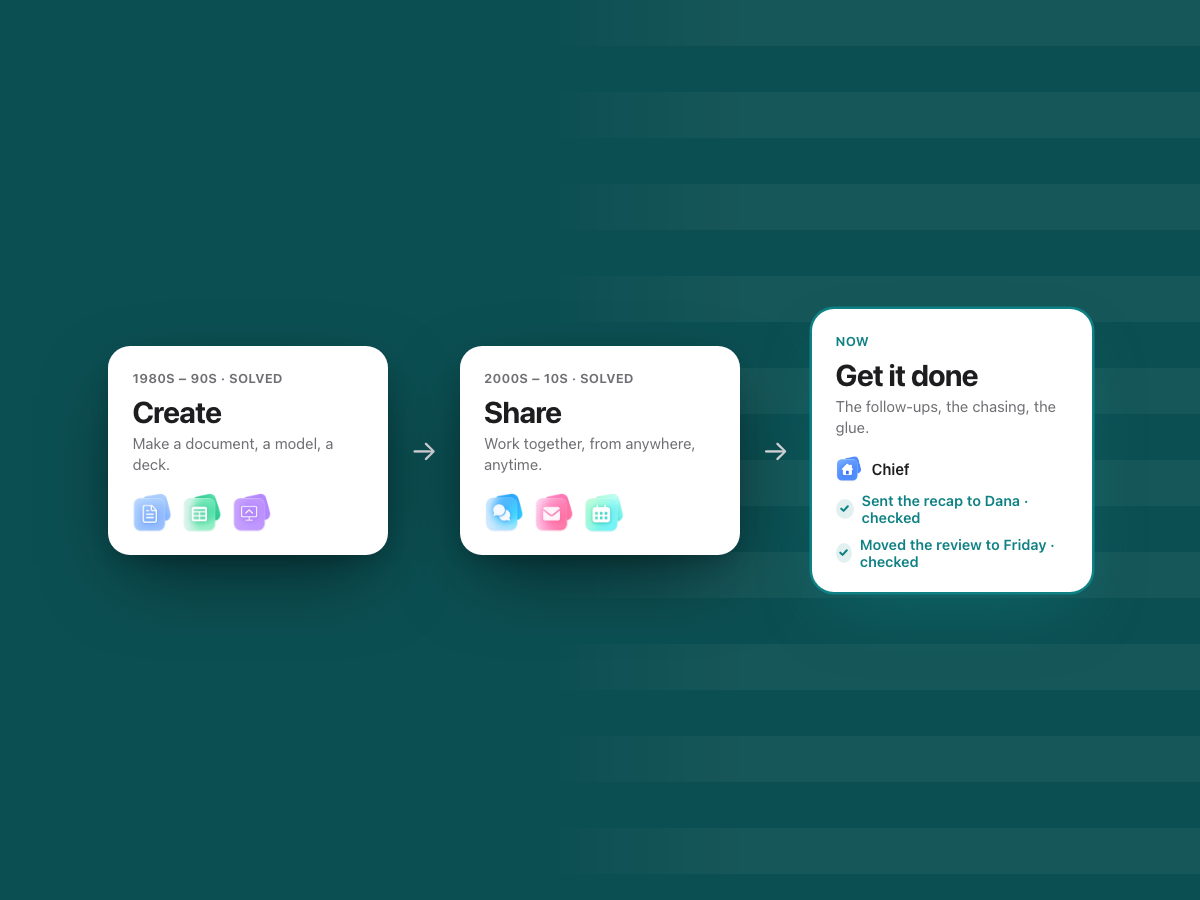
Office software has solved two jobs: creating work, then sharing it. The third job, getting it done, is still done by hand.
We believe the next office suite should do that work, ask before anything goes out, check every change, and be judged on what it finishes.
We believe office software should do the work, not just help you write about it.
That sounds obvious. It is not how office software has ever been built. For forty years, every suite has been a place to make things and, later, a place to share them. The doing has always happened somewhere else: in people's heads, in their calendars, in the reminders they set for themselves at 11 pm.
This essay is our case for a different kind of suite. It is also the belief WorkElate is built on. If you only read one thing on this blog, read this.
Office software has had three jobs
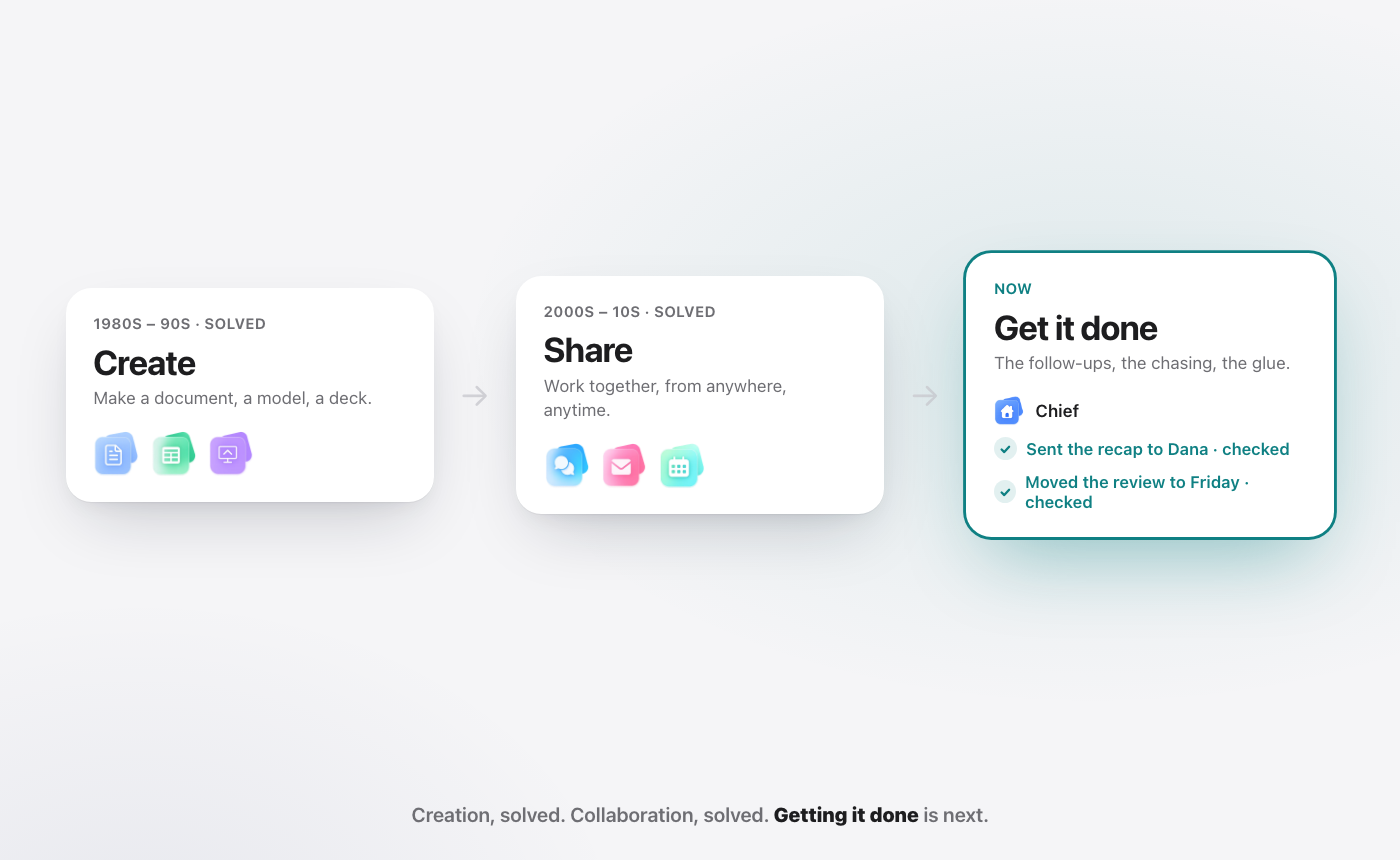
Every era of office software solved one job and left the next one on the table. Seen side by side, the pattern is hard to miss.
| Era | What it solved | What it left undone |
|---|---|---|
| 1. Creation (desktop, 1980s–90s) | Anyone could make a document, a spreadsheet or a deck | Work lived on one machine. Sharing meant sending copies. |
| 2. Collaboration (cloud, mid-2000s on) | Shared, real-time work from anywhere, at any time | Work moved faster, but someone still had to move it |
| 3. Getting it done (now) | Not solved yet | The glue between a decision and a done thing |
Each era kept what came before. Nobody stopped writing documents when the cloud arrived. Nobody will stop sharing them when the third job is solved. Each shift changed what the software was responsible for.
Era one: creation
Before personal computers, a budget meant a ledger, a pencil and an eraser. Change one number and you redid the column by hand.
VisiCalc, launched for the Apple II on 17 October 1979, is described by the Centre for Computing History as "the first computerized spreadsheet program" (Centre for Computing History). Word processors and presentation software followed the same path through the 1980s and 1990s. Suddenly anyone could make a clean document, a working budget or a deck, without a typist, a printer or a graphics department.
Here is the part worth remembering. The spreadsheet did not make accountants obsolete. It removed the arithmetic. Accountants spent less time adding columns and more time asking what the columns meant.
What creation left undone was everything after the file was saved. Your work lived on your machine. To share it, you sent a copy. Then there were two versions, then five, and the question of which one was current became its own small job.
Era two: collaboration
The second era moved the file off your machine and into the browser.
In October 2006, Google merged its online word processor and its spreadsheet into one product, saying the two would "begin a new life together as Google Docs & Spreadsheets" (Google Drive Blog, 2006). Shared drives, team chat and video calls arrived around the same time. Within a decade, real-time collaboration was simply how office work happened.
The cloud did not change what a document was. It changed where it lived. One copy, in one place, that everyone could open at once. No more "final_v3_really_final."
That was a huge gain, and it came with a quiet cost. When everyone can reach everything, everyone is also expected to keep up with everything. Work moved faster. But the software still did not move it. People did.
Era three: getting it done
This is the job that is still open.
Between a decision and a done thing sits a layer of work nobody puts on a roadmap. The follow-up after the meeting. The status check before the client call. Copying a number from a sheet into an email. Reminding someone, twice. Reformatting the update for a different audience. Checking that the thing marked done is really done.
None of it is hard. All of it is necessary. And on almost every team, someone does it by hand, usually without anyone noticing.
It is also where strategy leaks. A plan is agreed in a meeting, and then it has to survive a hundred small handoffs before it becomes a result. Writing in Harvard Business Review, Donald Sull, Rebecca Homkes and Charles Sull put it bluntly: "Two-thirds to three-quarters of large organizations struggle with execution" (HBR, "Why Strategy Execution Unravels—and What to Do About It," 2015). Their argument is that the hard part is less about alignment and more about coordination across people and teams. That coordination is exactly the layer office software has never touched.
What is glue work, and who does it?
The name comes from engineer Tanya Reilly, whose talk "Being Glue" describes the "less glamorous - and often less-promotable - work that needs to happen to make a team successful" (noidea.dog/glue). Her examples are things like noticing when someone is blocked, onboarding new people, and keeping a team moving in the same direction.
Her talk was about engineering teams. The pattern is everywhere. In a sales team, glue is chasing the signed copy. In finance, it is asking for the same approval a second time. In HR, it is turning form answers into next steps. For a founder, it is remembering which client is waiting on what.
The research on how much time this takes is consistent:
- Microsoft's Work Trend Index found the average employee spends 57% of their time communicating, in meetings, email and chat, and 43% creating. It also found 68% of people say they don't have enough uninterrupted focus time in the workday (Microsoft Work Trend Index, "Will AI Fix Work?", May 2023).
- Asana says that, by its Anatomy of Work research, "60% of a person's time at work is spent on work about work and not on skilled work" (Asana).
Read those two together. The suites of era one and era two are built around creating and sharing. Most of the working day goes to the layer in between. We have spent forty years making the minority of the day faster.
We wrote more about why this layer exists at all in why follow-ups exist at all.
Why can software finally do this now?
Because, for the first time, software can act on language.
Until recently, glue work could not be automated, because it does not follow rules. "Nudge Dana about the renewal, but only if she hasn't replied, and mention the new date" is not a workflow you can draw. It is a judgment about a thread, a sheet and a calendar at the same time. Rules engines tried and failed, because the cases never end.
AI that can read a request, understand the context and then take a step inside an app changes that. It can read the thread, find the number in the sheet, draft the email and move the meeting.
But the first wave of AI at work mostly writes. You copy a thread into a chat window, ask for a summary, paste the answer into a doc, and then go update the sheet yourself. The AI did the easy part. You still did the glue. That is era two with a better autocomplete, not era three. We cover this gap in why AI should execute, not assist.
The big suites are moving toward action too, and they are serious about it. Our Google Workspace vs Microsoft 365 guide looks at how each one approaches AI today. The question for every suite, including ours, is the same: what does it take for an AI that acts to be worth trusting with real work?
What does "doing the work" have to mean?
An AI that acts is only useful if you can stop checking it by hand. Otherwise you have swapped one kind of glue work for another. We think five things are non-negotiable.
1. It asks before anything goes out. Anything that leaves your hands, a sent email, a shared file, a deleted item, waits for your yes. You see the draft, who it goes to and what is attached. Nothing goes out on a guess.
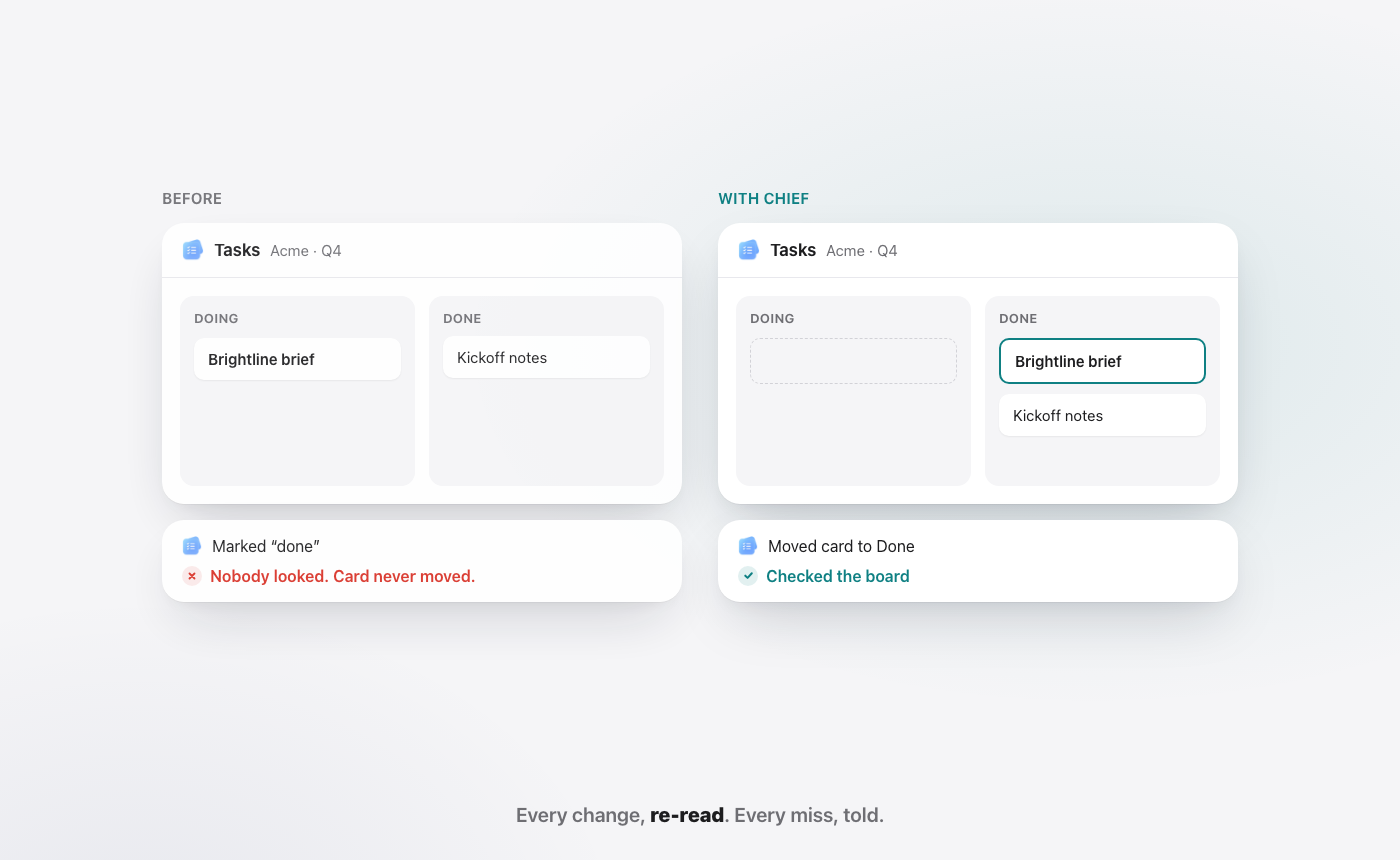
2. It re-reads every change and tells you every miss. After it moves a card or writes a row, it looks at the result, not at its own intention. "Moved the card" is an action. "Checked the board" is proof. And when something does not land, it says so in plain words. A quiet failure dressed up as success is worse than no help.
3. It works across every app. Glue work is, by definition, the work between apps. An AI that lives inside one app sees one slice of the job and guesses at the rest. The one that does the glue has to read the sheet, write the mail and move the meeting in the same breath.
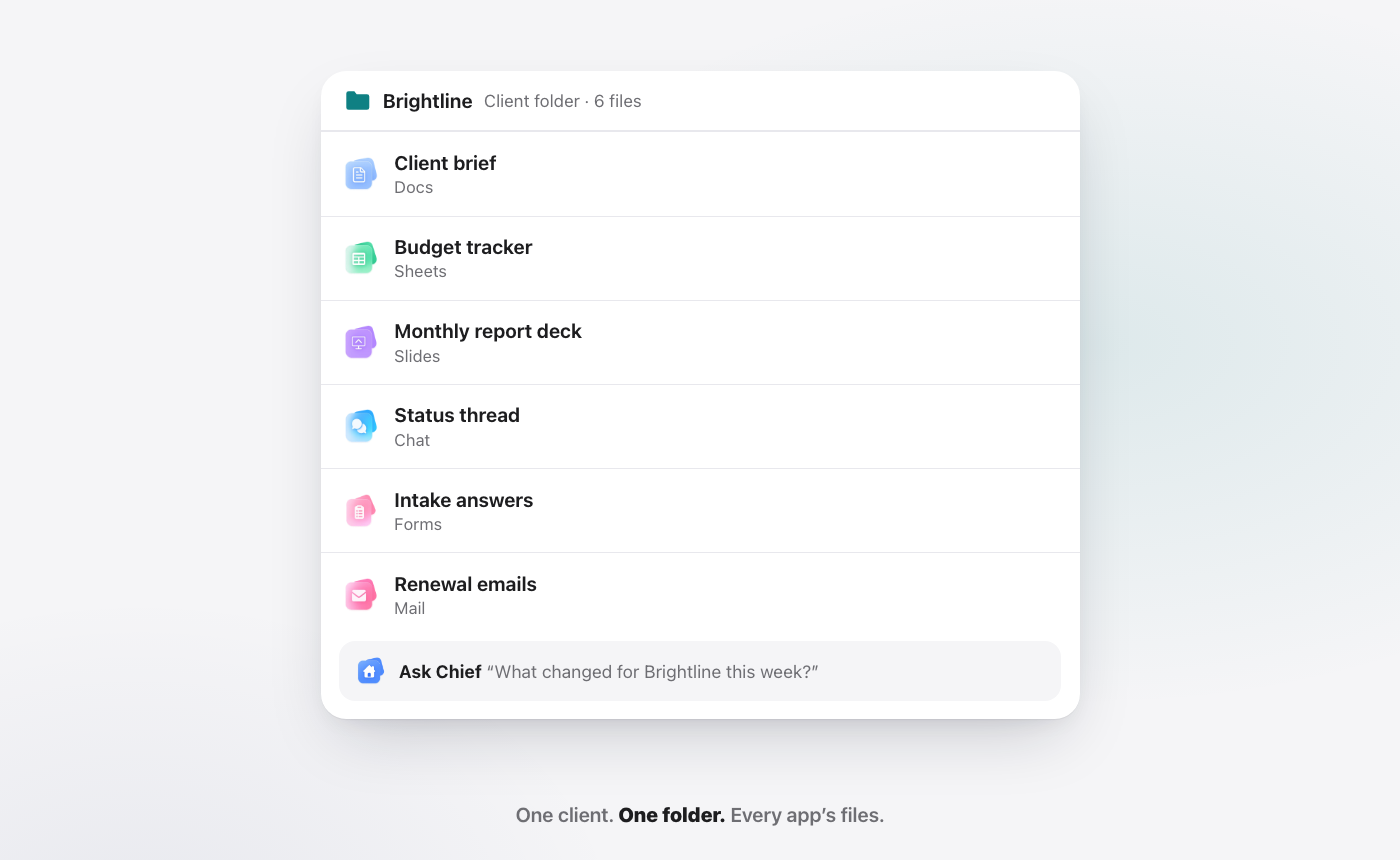
4. It keeps one place per client. The brief, the budget, the deck, the thread and the intake form about one client belong together. Then the AI can answer about the client, not about one app's corner of the client. We go deeper in one client, one folder.
5. It is for every person on the team. Glue work is not a manager's problem. The founder does it, ops does it, sales does it, the account lead, finance and HR all do it. An AI that only some people can use sees only part of the work, and leaves the rest of the glue where it was.
Take any one of these away and the promise breaks. Without asking first, you cannot trust what goes out. Without checking, you cannot trust what it says it did. Without every app, it cannot reach the glue. Without one place per client, it cannot see the whole job. Without everyone, it only fixes part of the team.
What doing the work is not
It is not replacing judgment.
The spreadsheet removed the arithmetic, not the accountant. The cloud removed the copies, not the writer. The next shift removes the glue, not the people who decide.
People still decide what matters, which client to push, which risk to take, what tone to use with someone who is upset. Those calls are the actual job. The glue is everything around them: carrying the decision from the meeting into the mail, the sheet, the calendar and the task list, then checking that it landed.
So the line is simple. People decide. The suite does the glue. And when the glue includes something that leaves the building, the suite still asks.
It is also not "AI that does things behind your back." An AI you cannot see is an AI you will end up double-checking, which puts you right back at the start. The point is to show its hand every time, so that over weeks you can stop looking over its shoulder.
What are we building?
WorkElate is the AI-native office suite. It has the apps a team runs on: Hub, Mail, Chat, Sheets, Docs, Slides, Calendar, Tasks, Canvas, Forms and Journey. And it has one AI, Chief, that works across all of them, with Hub as home. There is nothing to connect.
Ask "Send Priya the Q3 numbers," and Chief reads the Q3 Pipeline sheet, drafts the email in Mail, checks the draft matches the sheet, and then stops at "Waiting for your yes." You choose Send or Edit. Nothing sends, shares or deletes without your yes. When Chief moves the Brightline brief to Done in Tasks, it re-reads the board to confirm the card is really there, and tells you if it is not.
Each morning, Start my day sorts your work into what needs you, what is slipping and what was handled, each with a "Because…" line so you can see the reason. Every client gets one folder that holds every app's files: the brief, the budget sheet, the deck, the status thread, the form answers.
AI is included on every plan, with no add-on, because an AI that only some of the team can use cannot see the whole picture. See pricing.
The names above, Priya Sharma and Brightline, are demo names, not a customer story.
Where are we honest about the limits?
A manifesto is easy to write. Here is what this belief does not promise.
Chief is not never wrong. It can misread a request, like any assistant or colleague. Asking first and re-reading every change exist because mistakes happen. They make mistakes visible and early, not impossible.
Checking proves the change landed, not that it was wise. Re-reading a calendar tells you the meeting moved. It does not tell you moving it was the right call. That is still yours.
It only sees what is in the suite. Chief works across the WorkElate apps. Work done in another product is outside what it can see or check.
Asking first is slower by a click. On purpose. If you want an AI that sends mail with no one looking, we are not building it.
Not everything is here yet. We are building toward era three, not claiming to have finished it. Where something is still on the way, we say so.
Office software should do the work
Era one let anyone make the work. Era two let everyone share it. Both were real revolutions, and both left the same job behind: the glue between deciding and done, carried by someone on every team, usually unseen.
We think the next office suite will not be judged on what you can create in it, or on how many people can edit at once. It will be judged on what gets finished, checked and handed back to you.
That is the suite we are building. Give it the glue. Keep the judgment.
FAQ
What is an AI-native office suite?
An AI-native office suite is a set of work apps, such as docs, sheets, slides, mail, chat, calendar and tasks, built together with one AI that can read and act across all of them. The AI is part of the suite from the start, not a plugin added to one app. WorkElate is an AI-native office suite, and its AI is called Chief.
What is glue work?
Glue work is the necessary, often invisible work that turns a decision into a done thing: follow-ups, status chasing, copying facts between apps, reminders, reformatting and checking. The term was popularised by Tanya Reilly's talk "Being Glue." Someone on almost every team does it by hand.
Will an AI office suite replace people's jobs?
No. The aim is to remove the glue, not the judgment. The spreadsheet removed arithmetic but not accountants. In WorkElate, people decide, and Chief carries the decision across apps, asks before anything is sent, shared or deleted, and checks that each change landed.
How is this different from Google Workspace or Microsoft 365?
Those suites are strong at creation and collaboration, with large ecosystems and deep admin options, and both are adding AI. WorkElate starts from the third job: one AI across every app, one folder per client, asking first and re-reading every change, with AI included on every plan.
Start free and hand Chief the glue.


