AI That Executes Work: Stop Copy-Pasting Into ChatGPT
In short
Assistant AI suggests, drafts and summarizes, then hands the doing back to you. AI that executes work acts inside your apps: it reads the sheet, writes the email, moves the card, and asks before anything goes out. WorkElate's Chief is built this way, and it re-reads every change so it can tell you when something did not work.
What is the difference between AI that assists and AI that executes?
Assistant AI produces text. AI that executes produces a finished step in your actual work.
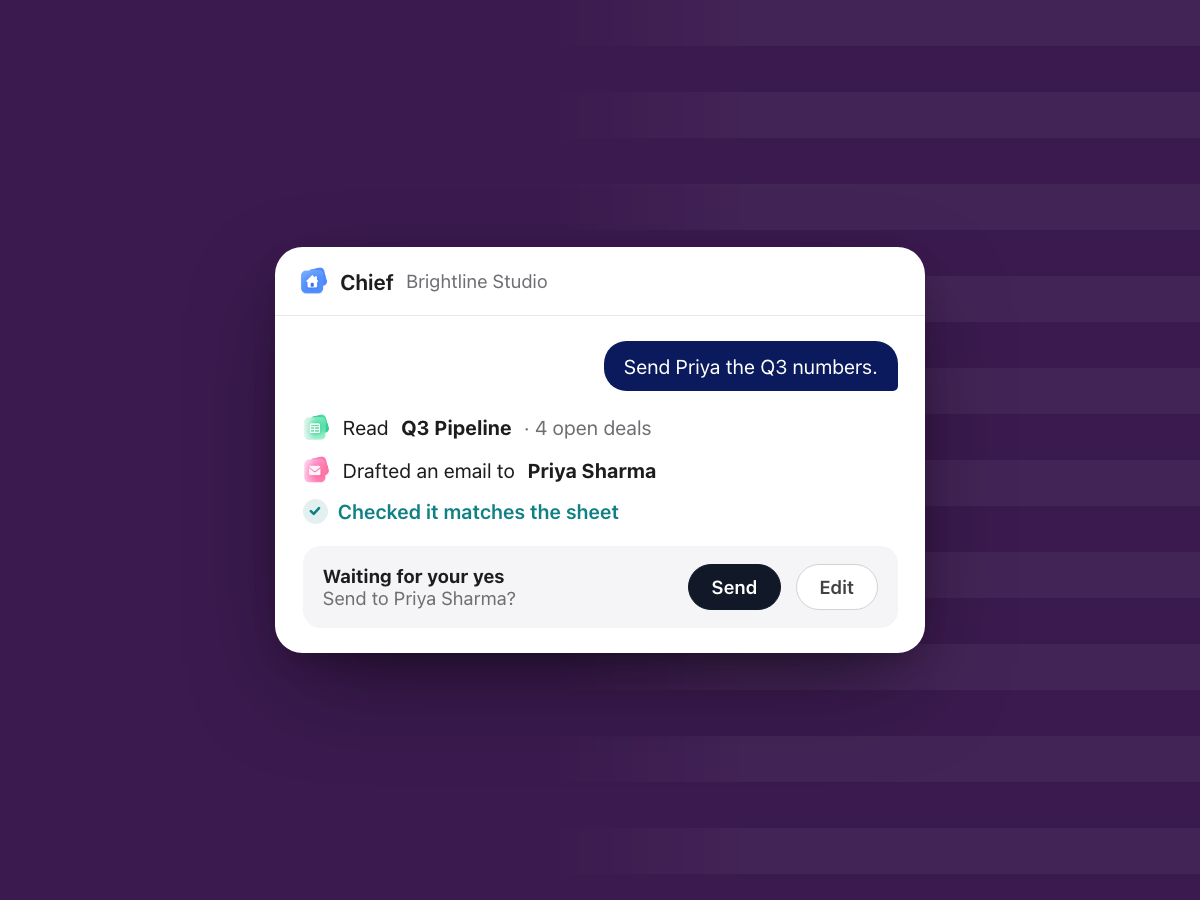
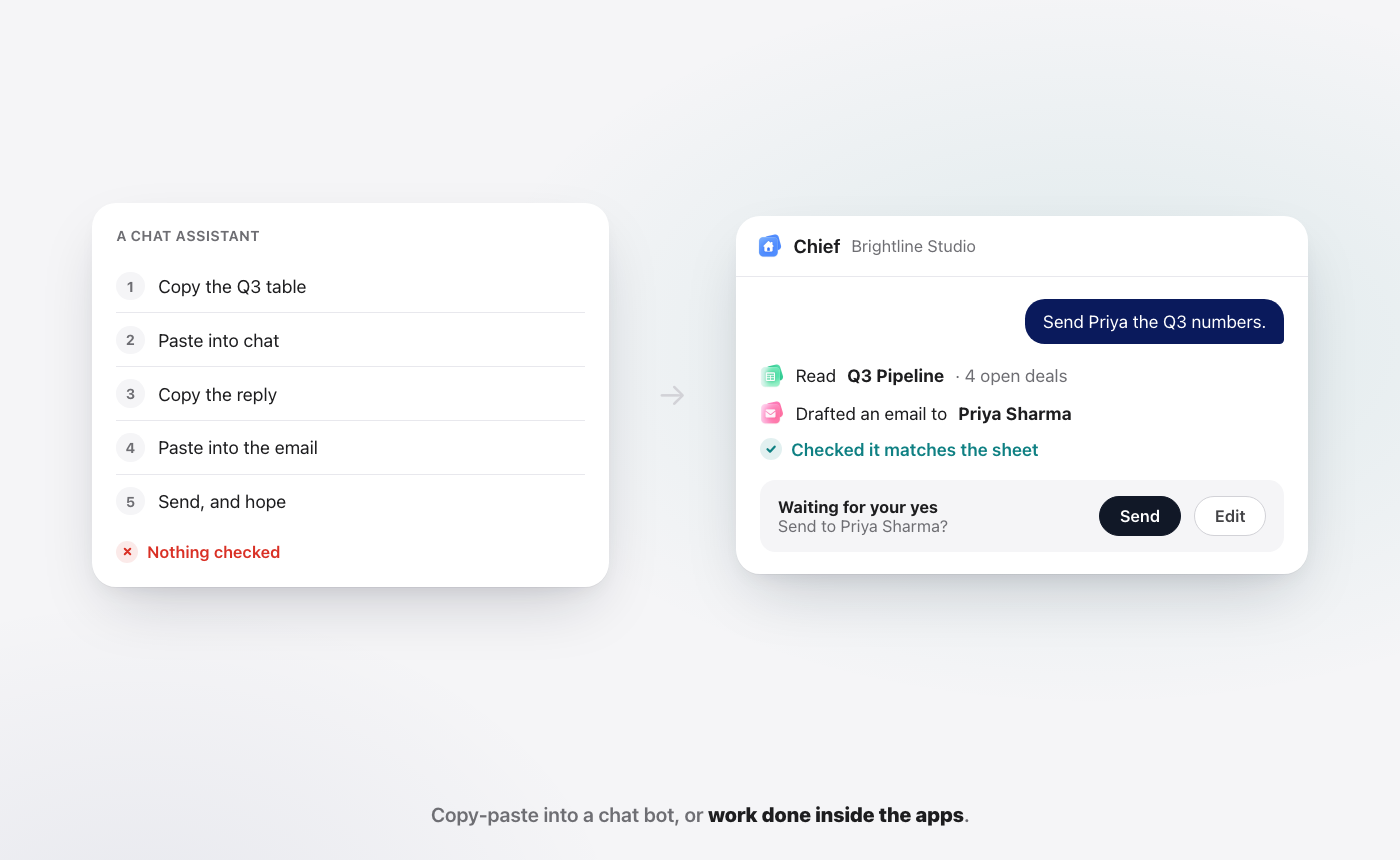
An assistant answers "what should this email say?" and stops. You still open the inbox, paste the text, check the numbers against the sheet, attach the file and press send. AI that executes takes "send Priya the Q3 numbers" and does the steps: it reads the pipeline sheet, drafts the email in Mail, checks the draft matches the sheet, and puts a send card in front of you.
The gap sounds small. In a normal week it is most of the work.
Why does copy-pasting into a chat bot feel so slow?
Because you are the bridge between the AI and the work.
Here is the usual routine. You copy a client thread into a chat window. You ask for a summary. You copy the answer into a doc. You open the sheet to check one figure. You go back to the chat to fix the wording. Then you open your inbox and send it yourself.
Each step is quick. Together they add up to a person doing all the moving while the AI does all the typing. And because the chat bot only knows what you pasted, it cannot tell you that the figure changed this morning or that the client already replied.
What does AI that executes actually do?
It works where the work lives. In WorkElate, Chief acts across Docs, Sheets, Slides, Mail, Chat, Calendar, Tasks, Canvas, Forms and Journey. There is nothing to connect, because the apps and Chief are one suite.
A few plain examples of what you can ask:
- "Send Priya the Q3 numbers." Chief reads the sheet, drafts the email, checks it matches, and waits for your yes.
- "Move the Acme review to Friday." Chief finds the meeting and proposes the change.
- "What needs me today?" Chief sorts your day into Needs you, Slipping and Handled, each with a "Because…" line.
The point is not that Chief writes better sentences than a chat bot. The point is that you stop being the clipboard. This is the core idea behind our vision for the future of work.
Isn't it risky to let AI act on its own?
It would be, if it acted without asking. Chief does not.
Nothing sends, shares or deletes without your yes. A drafted email shows up as "Waiting for your yes" with Send and Edit buttons. You read it, change it if you want, and decide. The AI does the steps. You keep the call.
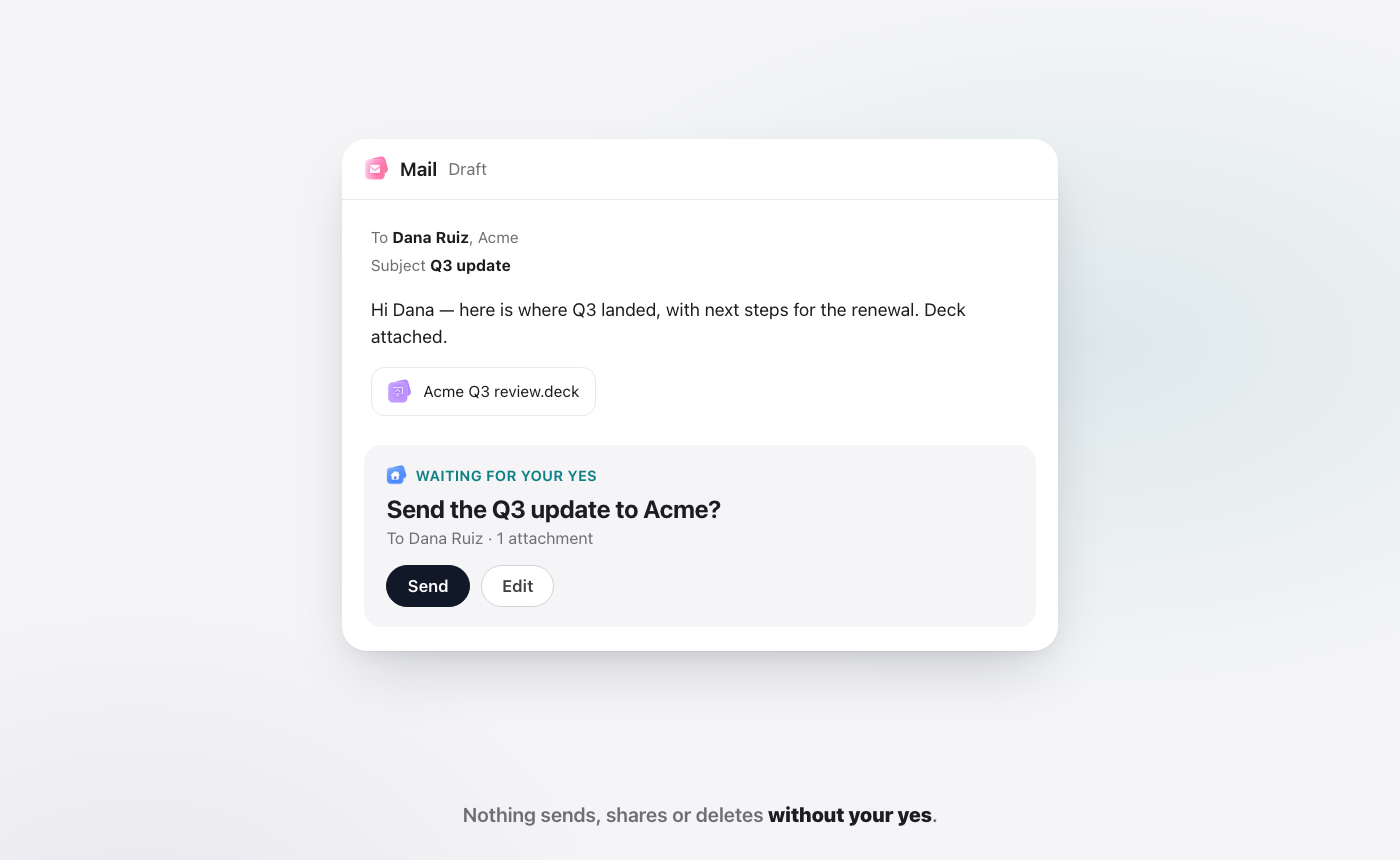
That one rule changes how much you can hand over. When you know nothing leaves without you, you stop double-checking every draft from scratch and start reviewing finished work. Our security page covers how WorkElate handles your data.
How do you know the AI actually did what it said?
Most tools take the AI's word for it. Chief checks.
Every change Chief makes is re-read after it makes it. If it moved a card, it looks at the board to confirm the card moved. If something did not work, it tells you, rather than saying "done" and hoping. Every change, re-read. Every miss, told.
This matters more than it looks. An assistant that writes a wrong summary costs you a few minutes. An AI that acts and wrongly says "done" costs you a missed deadline you did not know about. We go deeper on that in done, and checked.
Assist vs execute: how do they compare?
| Chat assistant | AI that executes (Chief) | |
|---|---|---|
| Where it works | In a separate chat window | Inside your docs, sheets, mail and tasks |
| What it knows | What you paste in | The files and threads in your workspace |
| What it produces | Text you then move by hand | A drafted email, a moved card, an updated doc |
| Before sending | You send it yourself | It waits for your yes |
| After acting | No check | Re-reads the change, tells you any miss |
| Setup | Copy and paste each time | Nothing to connect |
A chat assistant is still useful for thinking out loud, brainstorming or a quick rewrite. Use it for that. Just do not ask it to be your hands, because it is not in the room where the work is.
Who on a team gets the most from AI that executes?
Anyone whose day is full of small steps between apps. That is most people.
A founder asks what needs them and gets three lines with reasons. An account lead sends the monthly update without rebuilding it from the deck and the sheet. Sales sends a follow-up that matches the latest numbers. Finance stops chasing the approval that was asked for twice. HR turns form answers into next steps.
Say you run a 30-person studio like Brightline. On a Friday, Dana at Acme needs a reply because the renewal quote expires today. Chief drafts it from the latest numbers, shows you the card, and waits. You read, tap Send, and move on.
What should you still do yourself?
The judgment. Chief handles the busywork: the drafting, the moving, the checking, the chasing. You decide what is worth saying, which client gets priority, and when the answer is no. That split is the honest version of AI at work, and it is the one we built for. For the bigger picture on what to hand over, see the real cost of a task is coordination.
Frequently asked questions
What does "AI that executes work" mean?
AI that executes work completes steps inside your apps rather than only suggesting text. It can draft and send an email, move a task, update a doc or reschedule a meeting, with your approval before anything goes out, instead of handing you text to copy and paste.
Is Chief the same as ChatGPT?
No. A chat assistant like ChatGPT works mainly from what you give it in a chat. Chief is the AI inside the WorkElate suite. It works across your docs, sheets, mail, calendar and tasks directly, asks before anything is sent, shared or deleted, and checks each change.
Will Chief send emails without asking me?
No. Nothing sends, shares or deletes without your yes. Chief drafts the email and shows a "Waiting for your yes" card with Send and Edit, so you always make the final call.
Does AI cost extra in WorkElate?
No. AI is included on every WorkElate plan, with no add-on. Chief works across all the apps on every plan.
Stop copy-pasting your work. Start free.


