One Folder per Client: All-in-One vs Best-of-Breed Tools
In short
The all-in-one vs best-of-breed debate is really about where a client's work lives. Pick the setup where one folder holds every doc, sheet, deck, thread and form about a client, and one AI can read all of it.
Most teams frame this as a tools question. Should we buy one suite, or keep the best app for each job? That is a fair question. But it skips the thing that costs you every week: finding everything about one client when you need it.
Say you run a 30-person studio. A client, Acme, asks for a quick status before Friday's review. The brief is in one app. The budget is in a spreadsheet in another. The last deck is in someone's drive. The thread where Dana Ruiz changed the scope is in chat. The intake answers sit in a form tool nobody has opened since kickoff. Five places, five logins, one person stitching it together by hand.
That stitching is the real cost, and it should drive the choice.
What is the difference between all-in-one and best-of-breed?
An all-in-one work platform puts docs, sheets, slides, mail, chat, calendar, tasks and forms under one roof. A best-of-breed stack picks the strongest single app for each job and connects them with integrations, or with people.
Both can work. Best-of-breed gives you depth in each app. All-in-one gives you one login, one bill and fewer places to look. Neither label tells you the thing that matters most, which is whether the work about one client ends up in one place.
A suite can still scatter a client across separate workspaces, one per app. A stack can feel tidy if your team is strict about naming. So the label is a weak signal. The folder is a strong one.
The big office suites sit in the middle of this debate. Google Workspace and Microsoft 365 are suites, and both are very good at the files themselves. If you are weighing those two first, start with our Google Workspace vs Microsoft 365 guide, then come back here for the folder question.
Why does "one client, one folder" matter more than the app count?
Because work is organized around clients, projects and people, not around file types. When an account lead asks "where are we with Acme?", the answer spans a doc, a sheet, a deck, a thread and a form. If those live in five homes, someone has to gather them before anyone can think.
That gathering is not a small habit. In Microsoft's own 2023 Work Trend Index survey of 31,000 workers, 62% said they struggle with too much time spent searching for information in their workday (Microsoft WorkLab, "Will AI Fix Work?"). Every scattered client adds to that search.
Think about how a folder works on your laptop. It does not care what kind of file you drop in. A contract, a spreadsheet and a slide deck can sit side by side. Most work software broke that idea, splitting each client across app workspaces.
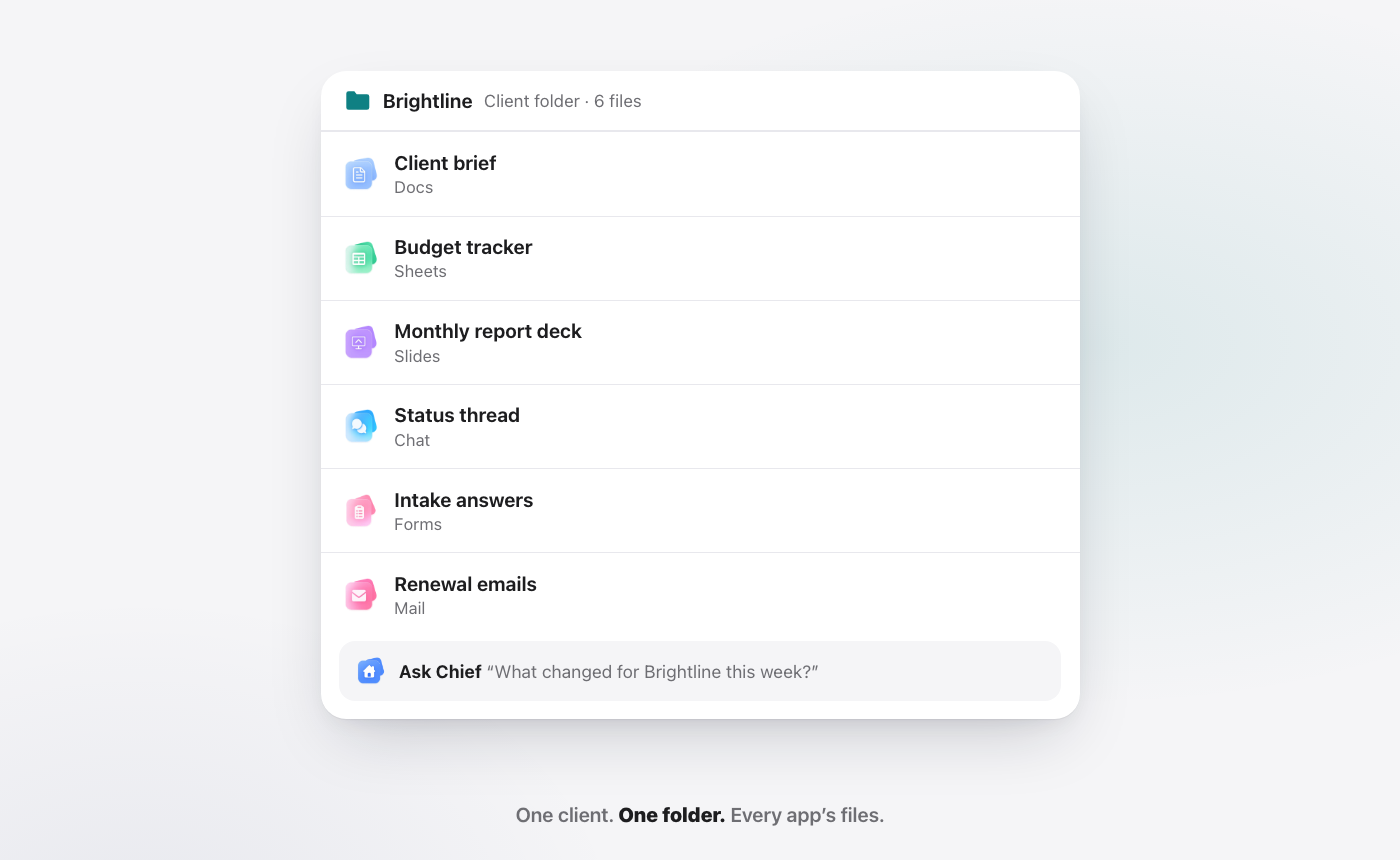
The fix is simple to state. One folder per client, holding every app's files. The brief, the budget sheet, the monthly deck, the status thread and the intake answers, together. Open the folder and you see the client, not one app's slice of the client.
What changes when an AI can read the whole folder?
A folder that holds everything is useful on its own. It gets much more useful when an AI can read across it.
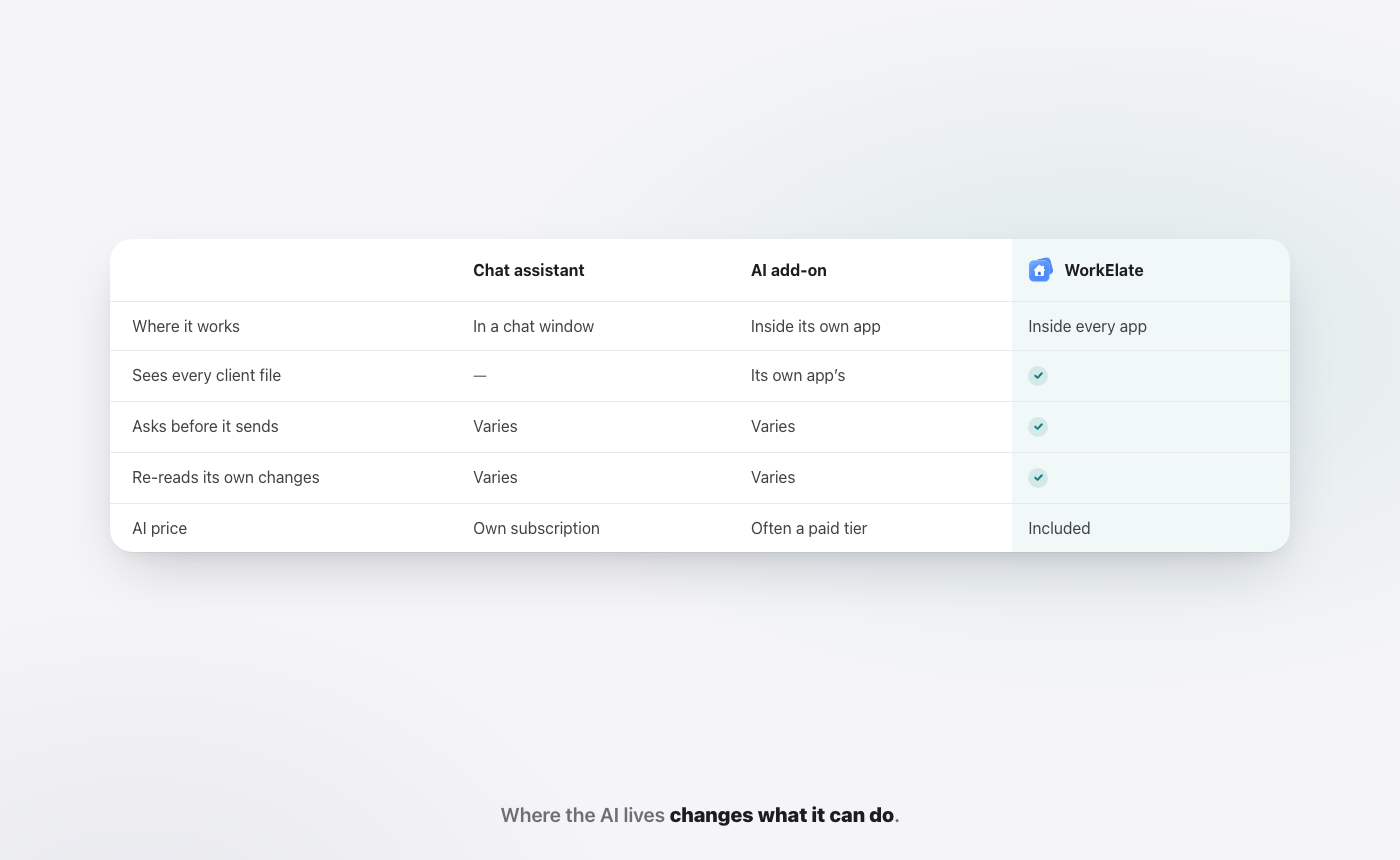
Most AI today sits inside one app, or in a chat window off to the side. You copy the budget into ChatGPT, paste the thread, describe the deck, and hope it has the full picture. It never does, because you chose what to paste. We wrote about that habit in why AI should act inside your apps, not beside them.
When the AI works across every app in the folder, the question "what changed with Acme this week?" can be answered from the actual files. It can draft the status note from the real budget, start the review deck from the real brief, and line up the email to Dana. That is the job of Chief in WorkElate: one AI that acts across Docs, Sheets, Slides, Mail, Chat, Calendar, Tasks, Canvas, Forms and Journey, with Hub as home. There is nothing to connect, because the apps are already one suite.
Two guardrails matter here. Chief asks before anything sends, shares or deletes. And it re-reads every change it makes, then tells you when something did not work. Reading across a whole client is only useful if you can trust what it then does. More on that in visible progress vs actual progress.
How does one client folder work on a real day?
Scenario. Brightline Studio and Acme are demo names, not a customer story.
Say you are the account lead at Brightline Studio. Acme is your biggest client, and the quarterly review is on Friday. Here is how Thursday goes when Acme has one folder.
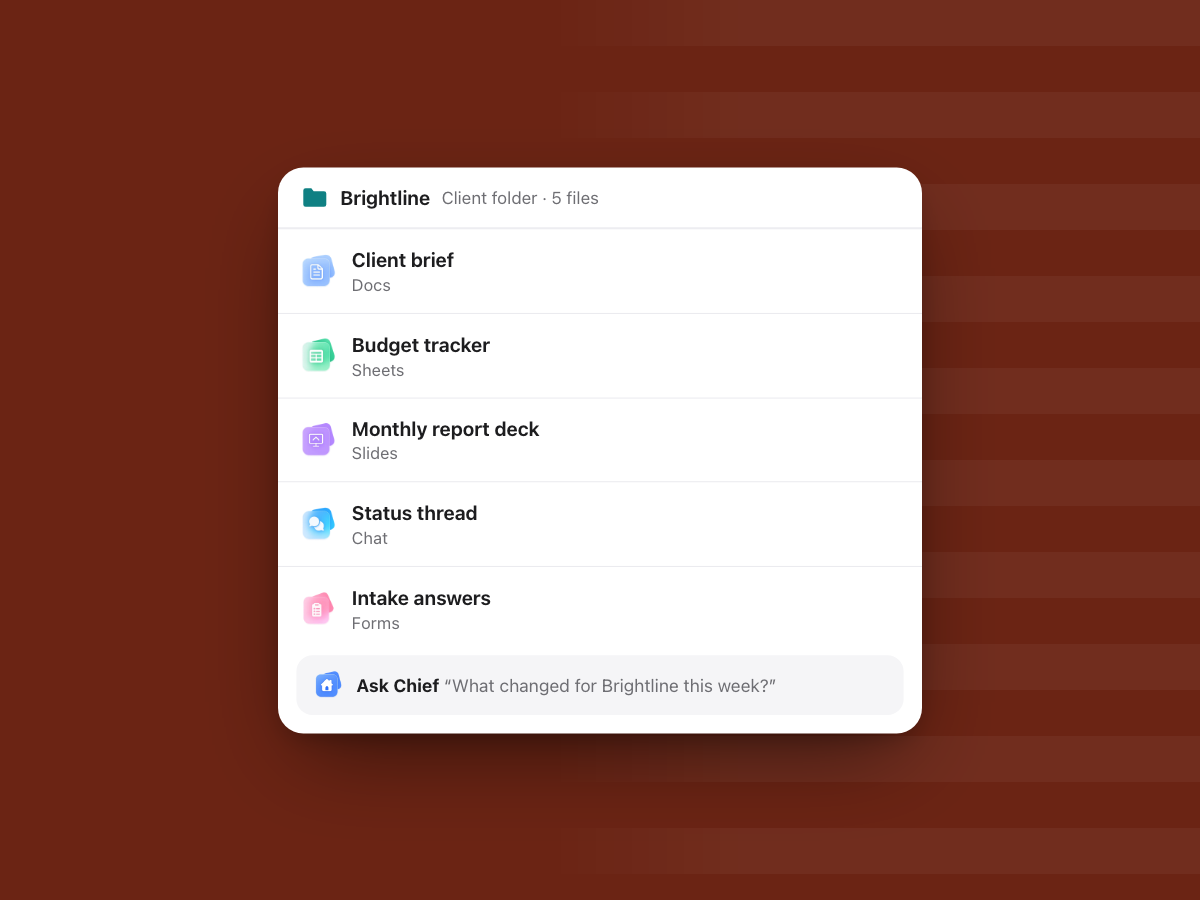
9:00. You open the Acme folder. Inside: the client brief from Docs, the budget tracker from Sheets, last month's report deck from Slides, the status thread, and the intake answers from Forms. You did not go looking for any of them. They are all in the one folder, because that is where the work was made.
9:05. You ask Chief one question. "Is Acme on budget against the brief, and what changed this week?" Chief reads the brief and the budget sheet together, then reads the thread. It answers from the files: which line item moved, and the message from Dana Ruiz where the scope changed. You did not paste anything.
9:20. You ask for the review deck. Chief starts it in Slides from the brief and the latest numbers in the sheet. You edit the story slide yourself, because that part is your judgement.
11:00. Dana asks to move the review. You ask Chief to move it to Friday at 3 pm. It checks that the time is free for the people invited, lines up a prep task in Tasks for Thursday, and drafts a note to the attendees. Then it stops. The note sits at "Waiting for your yes." You read it and click Send.
11:01. Chief checks its own work. It re-reads the calendar to confirm the meeting really moved. If the move had not landed, it would tell you in plain words, not report a success that never happened.
16:00. Neha joins the account. You do not forward her twelve links. You give her the folder. Everything she needs to catch up is already inside.
None of that is magic. It is what happens when the files about a client live together, and the AI can see all of them.
How do all-in-one, best-of-breed and a connected suite compare?
Here is the honest side-by-side. No setup wins every row.
| Question | Best-of-breed stack | All-in-one suite (separate workspaces) | One folder per client, one AI across it |
|---|---|---|---|
| Depth in each single app | Highest | Varies | Varies |
| Where a client's files live | Spread across apps | Spread across app workspaces | One folder |
| Who gathers context before a meeting | A person | A person | The AI reads the folder |
| AI coverage | Per-app assistants that see one app each | Depends on the vendor | One AI across every app |
| Setup | Many integrations to build and keep alive | One login | One login, nothing to connect |
| Best when | One specialist tool is the whole job | You mainly want one bill | Work for each client spans many file types |
Read the last row first. If one specialist tool is your business, keep it. If your pain is chasing a client's work across apps, the folder is the fix.
Who on the team gains from one folder per client?
"Client" is the easy example. The same idea works for any unit of work your team cares about: a client, a deal, a hire, a vendor, a quarter. Here is what changes by role.
Founder. You stop asking three people for the state of one account. You open the folder, or ask Chief, and read the answer from the real files. Your Friday review starts with the picture, not with collecting it.
Operations. Ops is usually the person who knows where things are. One folder per client means that knowledge lives in the structure, not in one head. When someone is out, the work does not stall.
Sales. A deal folder holds the proposal doc, the pricing sheet, the pitch deck and the email thread. Before a call, Chief can tell you what was promised last time and what the client asked for, from the files themselves.
Account lead. This is the role that feels it most. Status notes, review decks and client emails all draw on the same few files. When they sit together, each of those jobs starts from the source.
Finance. An invoice question is rarely only about the invoice. It is about the scope in the brief and the hours in the sheet. With both in the client's folder, the answer is one look, not three requests.
HR. A hiring folder can hold the job doc, the interview scorecard sheet, the candidate form answers and the offer letter draft. Everything about one hire, in one place, with access you control.
When should you keep a best-of-breed stack?
Keep best-of-breed when one tool's depth is the product. A video team's editing suite, an engineering team's code host, a finance team's accounting system. Those are not going anywhere, and they should not.
Also keep it when switching would cost more than the time you lose today.
The mistake is not choosing best-of-breed. The mistake is pretending the gathering work does not exist. If your account leads spend Monday morning rebuilding each client's picture from five apps, that is a cost. It just does not show up on an invoice. We put a closer lens on it in the real cost of a task is the coordination around it.
What does one folder per client not do?
It is worth being plain about the limits, so you can decide with clear eyes.
It does not replace your specialist tools. Your accounting system, your design tools and your code host stay where they are. A WorkElate folder holds the work made in WorkElate's apps. Files from outside tools are not read by Chief unless they are in the suite.
It does not fix messy habits by itself. If half the team keeps making files outside the client's folder, the folder only tells half the story. The structure helps, but people still need to agree to work inside it.
It is not the biggest suite on the market. Google Workspace and Microsoft 365 are stronger on scale, offline desktop apps, admin and compliance depth, and the size of their add-on ecosystems. If those are your top needs, weigh them honestly. Our Google Workspace vs Microsoft 365 guide covers where each one leads.
It does not let the AI act on its own. Chief reads widely, but anything that sends, shares or deletes waits for your yes. That is slower than a fully automatic tool by design. We think it is the right trade.
How do you start with one folder per client in week one?
You do not need a migration plan to find out if this works. Start small and real.
Day 1. Pick one client. Choose a live client with active work, not a quiet one. Create their folder in WorkElate.
Day 2. Put the live work inside. The current brief, the budget sheet, this month's deck. New files for this client get made inside the folder from now on. Leave the archive where it is for now.
Day 3. Move the conversation. Start the client's status thread in the folder, and send the next intake or feedback form from Forms so the answers land there too.
Day 4. Ask Chief a cross-file question. "Is the budget on track against the brief?" or "What did the client ask for this week?" See if the answer comes from the right files.
Day 5. Let Chief do one real job. Ask it to draft the status email or move a meeting. Watch it wait for your yes, and watch it check the change after.
At the end of the week, ask the person who runs that account one question: was Friday's prep shorter? That answer is worth more than any feature list.
How do you test a platform before you switch?
Run one client through it for a week. Not a demo account. A real client with real files. Then check five things:
- Can every file type sit in one client folder? Docs, sheets, decks, threads and form answers together.
- Can the AI answer a question that spans files? For example, "Is the Acme budget on track against the brief?"
- Does it ask before it sends? Watch what happens when you ask it to email a client.
- Does it check its own work? After it updates a sheet or moves a task, does it confirm the change landed?
- Is the AI part of the plan or an add-on? A per-seat AI fee changes the math fast.
If a platform passes all five, the all-in-one vs best-of-breed label stops mattering. You have a place where each client lives, and help that can read it. You can see how WorkElate stacks up against other tools on our compare page.
FAQ
Is an all-in-one work platform better than best-of-breed tools?
Not by default. An all-in-one work platform is better when your work for each client spans many file types and you lose time gathering it. Best-of-breed is better when one specialist tool's depth is the core of the job. Test with a real client before deciding.
What does "one client, one folder" mean?
It means every file about a client sits in one folder, whatever app made it. The brief from Docs, the budget from Sheets, the deck from Slides, the chat thread and the form answers live side by side, so anyone opening the folder sees the whole client.
Do I need integrations if I use an all-in-one suite?
Inside WorkElate, no. The apps are one suite, so there is nothing to connect between them. You may still keep a specialist tool outside the suite for one job, such as accounting or code, and that is fine.
Can the folder be for something other than a client?
Yes. A folder can hold everything about a deal, a hire, a vendor or a project. The idea is the same: group work by what it is about, not by which app made it.
Does the AI cost extra?
In WorkElate, AI is included on every plan with no add-on. When you compare platforms, check whether AI is part of the base plan or a separate fee per seat, because that line changes the total fast. See pricing.
Give your clients one home. Start free.


