POV
Why AI Should Execute, Not Assist
AI that suggests, drafts, and summarizes is table stakes. The step-change is AI that completes cross-app work end-to-end — on your confirmation. Here's the evidence.
AI that suggests, drafts, and summarizes is table stakes. The step-change is AI that completes cross-app work end-to-end — on your confirmation. Here's the evidence.
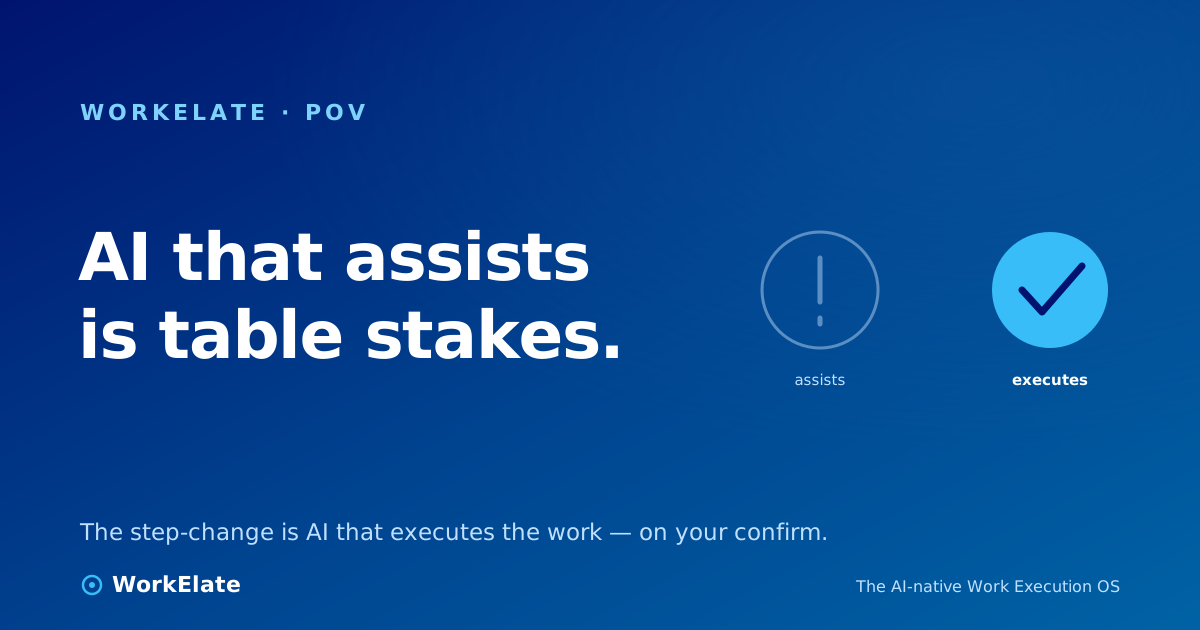
There is a quiet line running through every "AI for work" product, and almost no one names it out loud. On one side of the line, the AI suggests, drafts, summarizes, recommends — and then stops, and hands the actual doing back to you. On the other side, the AI completes the work: it moves the thing across apps, finishes the chain, and tells you it's done. Almost everything shipping today lives on the first side of that line. The whole market has agreed, without quite saying so, that "AI helps" is the destination.
It isn't. It's the on-ramp. And the gap between the two sides of that line is now the difference between a feature people try and a product people pay for — which is a much bigger claim than it sounds, so let me make the case with numbers, not adjectives.
Start with the most distributed AI feature in the history of work software.
Microsoft shipped M365 Copilot in November 2023 at $30 a seat, into the largest installed base on earth — hundreds of millions of people already inside Word, Excel, Outlook, and Teams every single day. If proximity converted, this would have been the fastest adoption curve ever recorded. Microsoft owned the surface, the distribution, the brand, and the budget relationship. There was no friction to acquire.
And yet, by most external estimates, only around 3.3% of M365 users pay for Copilot. A feature bolted onto a suite people already lived in, with the best distribution money can buy, converted roughly one in thirty.
That number deserves to be sat with, because the easy read is wrong. The easy read is "Copilot isn't good enough." But Copilot drafts a perfectly competent email. It summarizes a meeting. It writes a passable first draft of a deck. The capability is real. The problem is the shape of the capability: it assists. It puts a smarter cursor next to your work and waits for you to drive. And it turns out that a smarter cursor — even one inside every app you already own — is something most people will try once and not pay for monthly. Assistance is a nice-to-have, and nice-to-haves don't convert at scale. They get an applause and a shrug.
A smarter cursor is a feature. Work that finishes itself is a product. The market is learning, with its wallet, to tell the two apart.
The lesson is not that AI at work failed. It's that the assist-shaped version of it hit a ceiling, and the ceiling is low. Suggesting is table stakes now — everyone has it, in every app, and it converts like a free trial because that's effectively what it is.
Watch where the curve actually bends, and you see the same thing twice.
First, the empty state. Gamma was near death — the slow, brutal death of the blank canvas, where users sign up, stare at an empty deck, and leave. In March 2023 it launched a single capability: type a prompt, watch a deck build itself. It didn't change what Gamma was. It changed who could start. The result was not gradual. It took Gamma roughly eight months to reach its first 60,000 signups — and then under a week to add the next 60,000. It hit something like 10 million users in nine months and reportedly crossed $100M ARR at around 50 people. AI's first real job, it turns out, is doing the part the human couldn't face: starting.
Then, the work itself. Motion is the cleaner proof, because the same company ran both experiments. For years Motion was a beloved AI calendar — it scheduled your work. It auto-time-blocked your tasks, planned your perfect day, and earned a devoted following among people drowning in their own to-do lists. That was a genuinely smart assistant. And it was a $20-a-month consumer tool fighting churn and price backlash in exactly the productivity graveyard investors had warned them about. Scheduling the work — even brilliantly — was not the step-change.
The step-change came on May 1, 2025, when Motion launched "AI Employees": agents that didn't plan the work but did it — drafting proposals, updating project plans, running sales and support tasks across hundreds of tools. The reaction was not a slow adoption curve. Hundreds of existing customers upgraded within 24 hours. Over a million AI actions ran in the first week. The new line item went from $0 to roughly $10M+ ARR in about three to four months — and tipped a 5x-oversubscribed round at a $550M valuation.
A caveat worth keeping honest, because it's the kind we hold ourselves to: that ~$10M ARR figure is self-reported by Motion in a fundraise announcement, not audited, and the timeframe wobbles between "three months" (their blog) and "four months" (TechCrunch). The direction, though, is not in doubt — and it's the whole point of this essay. The same company, the same install base, the same users: when the AI scheduled the work, it was a fragile consumer darling. When the AI executed the work, it detonated.
The reason is mechanical, not mystical. An assistant moves the bottleneck; it doesn't remove it.
When AI assists, you are still the engine of the work. You craft the prompt. You read the suggestion. You judge it. You copy it into the right place. You check the next dependency. You relay the result to the person waiting on it. The AI made one step faster and left the other nine to you. Worse, it added a new step — managing the assistant — so the honest accounting is that assistance often shifts the coordination cost rather than reducing it. You traded "ask a coworker" for "ask a bot," and you're still the one doing the asking, the stitching, the carrying.
Execution is a different shape entirely. An executing AI doesn't hand the work back at the hard part — the part where it crosses from one app to the next. It reads the state of the work, sees that the dependency cleared, drafts the handoff, routes it to the right person, and updates everyone who was waiting — and then surfaces only the decision that's genuinely yours. The bottleneck doesn't move to a nicer interface. It closes.
This is also why execution is hard, and why most products stop at assist. To finish a chain of work, the AI has to see across the apps the chain runs through. A copilot that can only see the inbox cannot tell you the reply is blocked on a contract sitting in another tool. Assistance lives comfortably inside one app. Execution requires one intelligence reading across all of them. That's a much taller engineering bar — which is exactly why clearing it is worth so much.
Here is where this argument can go badly wrong, and where most "autonomous AI" pitches lose the room. The instant you say "AI that executes," a reasonable person hears "AI that acts behind my back," and they are right to flinch. Reckless autonomy is not the step-change. It's the thing that makes you fire the tool the first time it sends the wrong email to a client.
So the claim has to be made precisely. The shift is not from assisted to unsupervised. It's from assisted to executed under your command. At WorkElate the reflex has a name and it is non-negotiable: Suggest → Confirm → Execute. The brain proposes the handoff and waits. You approve it. It surfaces the blocker; you decide. For anything low-stakes and reversible, it can move and tell you after. For anything that touches a client, money, or a decision that's yours to make, it stops and asks first, every time.
The opposite of "AI assists" is not "AI runs wild." It's "AI finishes the work — and stops at exactly the decisions that are yours."
That confirm step is not a limitation we apologize for. It's the entire reason execution is trustable. An assistant makes you do everything, which is safe and slow. A reckless agent does everything, which is fast and terrifying. The useful shape is the one in between: it does the mechanical work — the tracking, the relaying, the drafting, the routing — and it leaves the judgment to you. You stop being the router for the work without ever stopping being the decider.
We are building this as one brain across every app, not a copilot bolted into each one — and the distinction is the whole game.
Every WorkElate app — task, calendar, docs, weMail, board, form, the rest — emits what happens into one shared work-graph, keyed on the client and the account. So the dependency that "the contract gates the kickoff" isn't a sentence trapped in someone's head; it's a fact the system holds. One intelligence — WAO, the WorkElate AI Orchestrator — reads across that whole graph. Because it can see the entire connected picture, it can do the thing a single-app copilot structurally cannot: carry a piece of work across the apps it touches, from the email to the task to the calendar, without a human stitching the seams.
Then it acts — on confirm. When the form turns a "book my time" request into a real, bookable scheduler rather than a dead dropdown; when a cleared dependency drafts the next handoff and waits for your nod — that's the same loop: read the graph, do the mechanical work, surface the decisions that are yours. Not eleven copilots, each blind to the other ten. One brain, executing across all of them, under the confirm reflex.
We are honest about where this is and isn't finished — that posture is the brand, not a disclaimer. What's real today is the architecture the whole thesis rests on: apps emit to a shared graph, one brain reads across it, and it acts only on your confirmation. We'd rather earn your conviction with what's true than your applause with what isn't.
▶ ▶ Watch on WorkElate See WAO finish a chain of work across apps — on confirm youtube.com/@WorkElate · videoId: TODO — swap when publishedIt's worth naming the shape, because "AI for work" has come to mean a chat box in the corner of every app — and a chat box is the loudest possible version of assistance. It waits for you to type, answers, and leaves you to copy, check, and route. It adds a step and calls it help.
The execution we're describing is the quiet kind. It reads the graph in the background, does the mechanical work without performing it for you, and interrupts only for the decisions that are genuinely yours. Three things need you; two I already handled. The two it handled, it didn't draft-and-wait — it tracked the dependency, moved the work, kept the context attached, and told you after. That's the full case in one line, and we make it at length in Invisible AI: The Only AI That Matters at Work. If you want the argument for why execution makes this a different category than a smarter project tool, it's here: How an AI Work OS Is Replacing Traditional Project Management. And the reason execution is worth so much — that the cost it removes is the coordination tax, not the typing — is the thesis of The Real Cost of a Task Is the Coordination It Creates.
Look at the AI features your team actually pays for, and the ones it tried once and quietly dropped. Then ask what separates the two. It almost never comes down to which model was smarter. It comes down to which one finished something — and which one handed the work back at the hard part and called it help.
Assistance was the demo. Execution is the product. The market is already voting, with its wallet, on the difference — and the only question left is whether the AI in your stack is doing your work, or just watching you do it.