AI Work OS
AI Work OS: Why It's Replacing Project Management
An AI Work OS reads your whole work-graph across every app and acts on confirmation — the shift past project tools that only count tasks. A buyer's guide.
An AI Work OS reads your whole work-graph across every app and acts on confirmation — the shift past project tools that only count tasks. A buyer's guide.
Your project tool knows exactly how many cards moved to "Done" this week. It has no idea what any of them are about, who is blocked, or what is about to slip. That gap — between counting work and understanding work — is the entire reason a new category called the AI Work OS exists, and the reason teams are quietly migrating off the tools they bought five years ago.
This is a long read, written for the person evaluating one of these systems rather than the person selling one. We'll define the term honestly, explain why traditional project management software hit a ceiling, show what an AI Work OS actually does differently under the hood, and give you a concrete checklist to separate the real thing from the "we added a chat box" pretenders. WorkElate shows up here as one answer — we built one — but the evaluation criteria are vendor-neutral. Use them on us too.
---
Definition. An AI Work OS (Artificial Intelligence Work Operating System) is a unified work environment in which a single AI layer can perceive activity across every connected app, reason over the relationships between that activity, and take action across those apps on the user's behalf — not just retrieve information or generate text inside one tool. It replaces the coordination layer that humans currently perform by hand on top of project management software.
The keyword is operating system, and it's a deliberate claim. An operating system isn't an app. It's the thing that sits underneath the apps, knows what all of them are doing, and lets them work together. Windows doesn't store your files or run your browser — it's the layer that makes the file system and the browser part of one coherent machine.
A traditional project management tool is an app. A genuinely good one — a board with swimlanes, dependencies, a timeline view. But it's still one island. It knows about its own cards. It does not know that the card titled "Ship the Q3 deck" depends on a number that only lives in a spreadsheet, that the spreadsheet is waiting on an email reply, that the email is sitting unread because the owner is in back-to-back meetings on a calendar the board has never seen.
An AI Work OS is the layer that does see all of that — and can do something about it.
Here's the distinction in one line, because it's the line that decides everything else:
Project management software helps people coordinate work. An AI Work OS does the coordination, and lets people decide.
The category didn't fail because the tools are bad. Asana, Monday, Jira, ClickUp, Trello — many are genuinely well-built. They failed to deliver on the promise (less chaos, more shipped) for a structural reason, and it's worth being precise about it rather than waving at "tool sprawl."
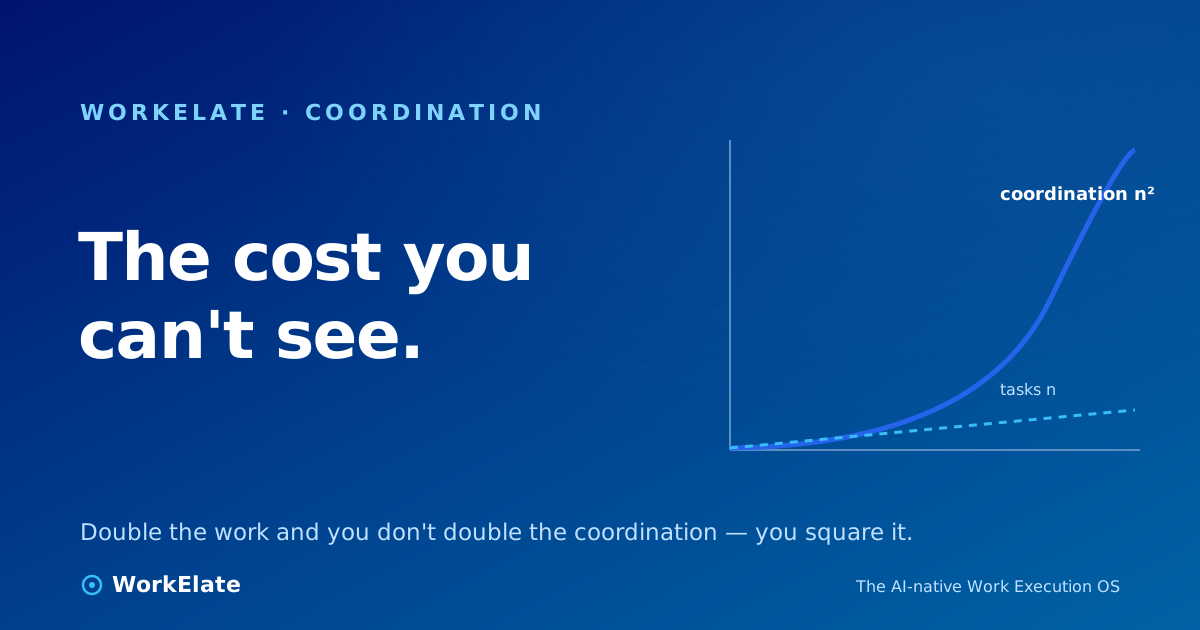
A board tells you how many tasks exist and what column they're in. It cannot tell you the cost of those tasks — and the real cost of a task is the coordination it spawns. Every card creates an invisible debt: the status pings, the "did legal sign off?" checks, the calendar Tetris to find a review slot, the standup where four people describe work the other three already knew about.
That uncounted work is the larger number for most teams. It's coordination overhead, and the dashboard is pointed at the sky while the iceberg is below the waterline. Worse, the tool manufactures coordination: every new status field is something a human now has to keep current, every dependency arrow is a handoff someone has to chase.
Notice the absurdity at the center of every project tool. It's the system of record, and it still can't tell you what's actually happening. So status becomes a thing humans produce — written into update fields, narrated at standup, answered when someone asks "what's the status?" — instead of a thing the system simply knows.
Status update theater: everyone takes a turn describing reality to an audience who could have just looked, if there were anything to look at. The premise was wrong from the start. Status should be a property the system holds, not a report your most expensive people generate on a schedule.
Real work isn't a list. It's a graph: this design feeds that ticket, this contract gates that kickoff, this person is waiting on that approval. Project tools can't hold the graph because each one holds only its own island. The wiring that connects the islands — the dependencies, the context, the "oh, that changed" — lives in Slack threads and people's memories, not in any database.
This is why teams hit a wall that makes no sense on paper. You hired more people and bought a better tool, and somehow everyone is busier and shipping less. Nobody got lazy. The coordination surface grew faster than the team, and your best people became the glue. We unpack exactly this in why Asana, Monday, and ClickUp don't deliver — it's a category ceiling, not a feature gap.
When a project tool adds AI, it usually adds it inside the island. A summarizer for your tickets. An auto-assign suggestion based on your board. A chat box that can answer questions about — your board. Useful, but it inherits the original limitation. It can be the smartest possible assistant about one-tenth of your work, and blind to the other nine-tenths. An assistant that's brilliant inside one app and can't see across the rest isn't an AI Work OS. It's a feature.
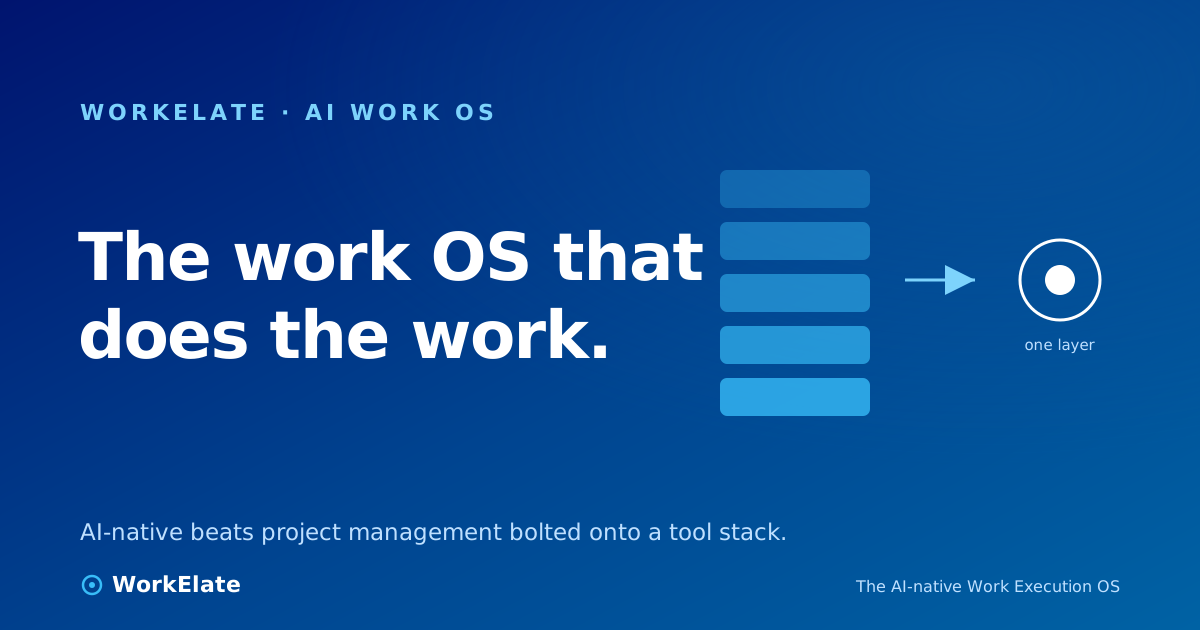
Strip away the marketing and there's exactly one move that defines the category. An AI Work OS shifts the AI from being inside an app, reading one island to being above the stack, reading across all of them — and able to act on any of them.
Two words capture the whole thing: read and act.
That last clause is not a footnote. The trust reflex — suggest, then confirm, then execute — is what makes "the AI acts on your behalf" a feature you'd actually turn on rather than a liability you'd disable by Tuesday. The visible confirmation surface is the trust surface. A system that acts silently is one you can't supervise; a system that proposes and waits is one you can.
Here's the same idea as a picture you can scroll.
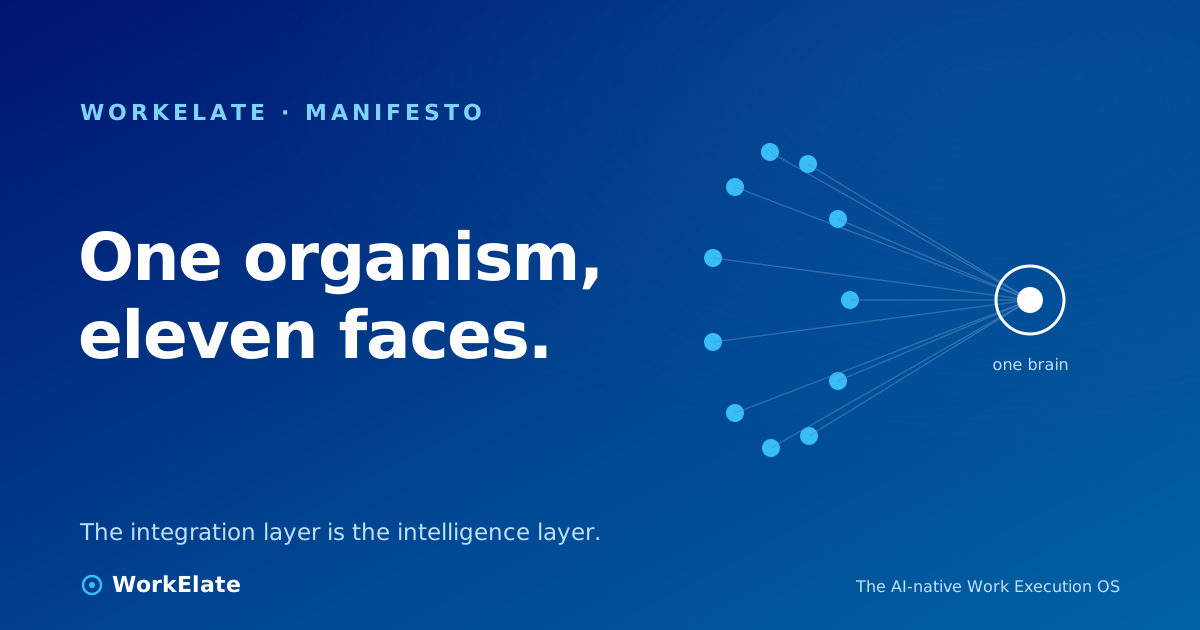
The line at the bottom is the whole thesis. In the old stack, you are the integration layer — the human who carries context from the doc to the ticket to the meeting. In an AI Work OS, the integration layer and the intelligence layer are the same thing. The system that connects your apps is the system that understands your work.
It's fair to be skeptical here. "AI that acts across your apps" is exactly the kind of sentence a vendor writes and never explains. So here's the mechanism, plainly. A real AI Work OS runs a repeating loop — six stages — every time it does anything. WorkElate calls it the cognitive loop:
Sense → Recall → Reason → Decide → Act (confirm-gated) → Remember.
if statement. A system where a programmer pre-decided "if X then nudge" isn't reasoning; it's a rules engine wearing an AI costume.Two stages — Recall and Remember — are the ones that separate an AI Work OS from a smart chat box. They're also the hardest to build, which is why most "AI work" products don't have them. A chat box answers your question and forgets you exist. A work OS remembers the answer, the decision, and the reason — and brings it back the next time it's relevant.
There's one more piece worth naming, because it's the durable difference: the cross-app work-graph. Other systems try to infer your work-graph by indexing your apps from the outside — reading your data through APIs and guessing at the connections. An AI Work OS emits the graph: each app writes its activity into one shared, connected map as the work happens. The difference between inferring a graph and emitting it is the difference between read-only and read-write. You can only act reliably on a graph you own.
Now the practical part. The category is new enough that "AI Work OS" is being stamped on everything from a re-skinned Kanban board to a genuine cross-app brain. Here's a five-part test to tell them apart. Run it on every vendor — including WorkElate. If a salesperson can't give you a concrete, demonstrable answer to each, you've found your gap.
Ask the vendor to show the AI answering a question that requires data from three different apps at once — "what's at risk for the Acme account this week, and why?" If the answer only ever draws from the one app the AI lives in, it has one eye. A real AI Work OS sees the whole picture: the slipping task, the unanswered email, the meeting that didn't get booked, all as one situation.
WorkElate: one SDK AI drawer (the same dark "AI Assistant" panel) is mounted in all nine shipping web apps, and every one routes to the same brain. The eyes are cross-app by construction, not by integration.
This is the read-vs-act line. After the AI identifies the risk, can it draft the client update, reassign the task, book the review — or does it just narrate the problem back to you and leave the doing to you? A system with eyes but no hands is a very expensive dashboard.
WorkElate: capabilities are registered as tools the model can choose and invoke — currently dozens across the apps — so "find the risk" and "fix the risk" are the same conversation, not two tools you switch between.
Hands that only work inside one app aren't enough. Ask: when the AI books a slot from a chat message, does a real calendar event appear, get the invite out, and lock the slot? When a form says "book my time," do you get a real scheduler — or a fake dropdown that looks like booking and locks nothing? Legs is whether an action started in one place lands, intact, in another.
WorkElate: the "book my time" form produces a real, tokenized, bookable scheduler that writes a calendar event — not a cosmetic dropdown. That cross-surface handoff is the thing single-app copilots structurally can't do.
The hardest one to fake and the most important to probe. Give it a situation slightly outside the obvious script and watch whether it reasons or falls back to a canned rule. A system that does business judgment in code — a hardcoded "if budget > X, escalate" — will be confidently wrong the moment reality doesn't match the if. A system that reasons will weigh the actual context and, when unsure, abstain rather than guess.
WorkElate: the constitution is "no business decisions in code." The model decides; the policy it reads lives in documents, not in branches. High-stakes calls cite their source and abstain below a confidence threshold rather than bluff. Uncited recall is hallucination, not memory — so the system is built to say "I don't have that" rather than invent it.
The part nobody can copy, and the part most products don't have. Use the system for a week. Does it know, on day five, what you decided on day one — without being re-told? Does it carry the history of an account so you're not re-briefing it every conversation? Memory is what turns an assistant into something that earns trust, because trust is just memory plus reliability over time.
WorkElate: Recall and Remember are first-class stages of the loop, backed by a memory service and a measurable test — the context-on vs. context-off ablation (how much better the answers get with the accumulated memory than without). We treat that delta as the number that matters, and we're transparent when it's small: a near-zero delta is honest information, not something to hide.
If you score every vendor on those five, the field thins out fast. Plenty of tools have Eyes. Fewer have Hands. Very few have Legs and Mind and Memory in one system, sharing one context. That intersection is the actual definition of an AI Work OS — everything short of it is a copilot with good marketing.
Let's be honest about the word "replacing," because the honest version is more interesting than the hype version.
The boards, the cards, the timelines — those don't disappear. People still need a place to see the shape of the work. What gets replaced is the layer humans built on top of project management: the manual coordination, the status reporting, the context-carrying, the glue work. That layer was never supposed to be a job. It became one because the tools couldn't do it.
So the accurate claim isn't "AI Work OS kills Asana." It's: the part of project management that was actually humans-doing-coordination-by-hand is the part getting automated, and once that's gone, a standalone project tool that only organizes cards looks like half a product. The board becomes a view into a system that understands the work, rather than the system itself.
That's also why we don't frame this as "too many tools." We're eleven surfaces ourselves — task, board, docs, calendar, mail, chat, data, ppt, form, and the rest. The villain was never the number of tools. It's the disconnection between them, and the human tax that disconnection charges. An AI Work OS doesn't win by having fewer apps. It wins by making the apps share one brain.
The honest gap, stated plainly: this is hard, and most of the industry — us included — is still building toward the full vision. The category exists, the mechanism is real, and parts of it ship today. But anyone telling you it's a solved, autonomous, set-and-forget machine is selling you the brochure. The right posture as a buyer is the same one we try to hold as a builder: motivating is not the same as fictional. Check the demo against the five criteria, on your real data, and trust what you can verify.
For the longer view of where this all goes, we wrote a separate concept note on the future of work that takes the argument past the buyer's lens and into the structural one.
AI Work OS stands for Artificial Intelligence Work Operating System. It's a unified work environment where a single AI layer perceives activity across all your connected apps (tasks, docs, calendar, mail, chat, sheets), reasons over the relationships between them, and can take action across them on your behalf — with your confirmation on anything high-stakes. The "OS" claim is deliberate: like an operating system, it sits underneath your apps and makes them work as one machine, rather than being just another app in the stack.
Traditional project management software organizes work into cards, boards, and timelines, but it only understands its own island — it can't see that a task depends on a number in a spreadsheet or an unanswered email. An AI Work OS reads across every app, understands the connections as one work-graph, and can act on them. The shorthand: project tools help people coordinate work; an AI Work OS does the coordination and lets people decide. The deeper difference is that an AI Work OS has memory and can act, where a project tool only stores and displays.
No, and the difference is the most common point of confusion. A copilot lives inside one app and helps you with that app's work — it reads one island and drafts you something. An AI Work OS sits above the whole stack, reads across every app, and acts across them. A copilot is brilliant about one-tenth of your work and blind to the rest; an AI Work OS is built to see the whole picture. Most copilots also lack memory — they reset every session — while an AI Work OS recalls and remembers, so context compounds over time.
The core benefit is removing the manual coordination layer — the status reporting, handoff chasing, and context-carrying that your best people currently do by hand. With one brain reading across apps, status becomes something the system knows rather than something humans produce, risks surface before they become misses, and routine cross-app actions (draft the update, book the review, flag the blocker) happen on confirmation instead of consuming attention. The honest scope: the mechanical, coordination-heavy slice of work is what gets automated — not human judgment, which the system is designed to support rather than replace.
A well-built one does both, governed by stakes. Low-stakes, reversible actions it can take directly. High-stakes, irreversible, client-facing, or money-related actions follow a "suggest → confirm → execute" reflex: it proposes the action and waits for your yes. The visible confirmation step is the trust surface — it's what lets you turn the feature on rather than disable it the first time it does something you didn't expect. A system that acts silently on everything is one you can't supervise.
Score every vendor — on your real data, in a live demo — against five criteria. Eyes: can it answer a question that requires three apps at once? Hands: can it do the action, or only describe it? Legs: does an action started in one app land intact in another (a chat message that produces a real calendar event)? Mind: does it reason over context, or pattern-match a hardcoded rule — and does it abstain when unsure rather than guess? Memory: on day five, does it remember what you decided on day one without being re-told? Tools with Eyes are common; the ones with Hands, Legs, Mind, and Memory sharing one context are rare — and that intersection is the real definition of the category.
Not the board itself — people still need a place to see the shape of the work. What it replaces is the manual coordination layer humans built on top of project management: the glue work that was never meant to be a job. Once that layer is automated, a standalone project tool that only organizes cards starts to look like half a product, and the board becomes a view into a system that understands the work rather than the system itself. The shift is real, but it's an augmentation of where the cards live, not a deletion of them.