Project Tracking vs Task Tracking: Differences and Uses

In short
Project tracking vs task tracking comes down to scope. Task tracking follows single pieces of work: who does what, by when. Project tracking follows a whole outcome: is the project on time, on budget and on scope. Most teams need both, and the hard part is not the tracking but the follow-up work around each task.
Mixing the two up is why some teams buy a heavy project tool for a to-do problem, and others run a client launch from a sticky-note list. Here are plain definitions, a table and a simple way to choose.
What is task tracking?
Task tracking is keeping a record of individual pieces of work until each one is done. A task has an owner, a due date and a status, such as To do, Doing and Done.
It answers small, concrete questions: what is on my plate today, who is doing this, is it finished? A shared task board is the most common form, with each card moving across columns as the work moves.
Task tracking is the right fit for repeating, short work: replying to a client, fixing a bug, sending an invoice, booking a review.
What is project tracking?
Project tracking is following a group of related tasks toward one outcome with a deadline. A project has a goal, milestones, dependencies, a budget and usually several people.
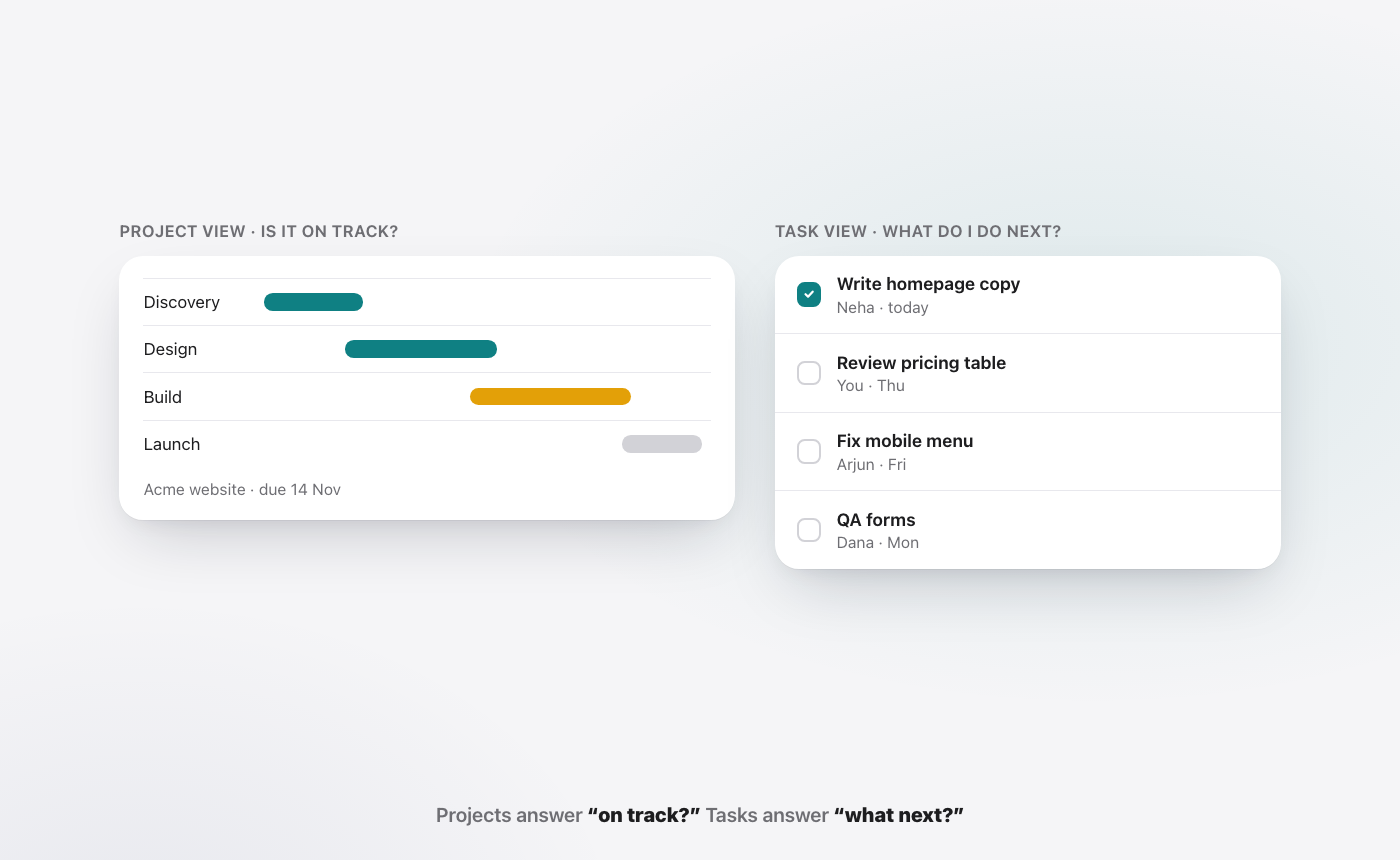
It answers bigger questions: will we launch on the 15th, which step is blocking the rest, are we over budget, does the client need to know? Timelines, Gantt charts, milestone reviews and status reports are its usual tools.
Project tracking is the right fit for work with a start and an end: a website rebuild, a product launch, a client onboarding, an office move.
What is the difference between project tracking and task tracking?
The short answer: task tracking looks at pieces, project tracking looks at the whole. One tells you a card is done. The other tells you whether all the cards together will get you to the finish line on time.
| Task tracking | Project tracking | |
|---|---|---|
| Unit of work | One task | A set of tasks toward one outcome |
| Main question | Is this done? | Will the whole thing land on time? |
| Typical view | List or board (To do, Doing, Done) | Timeline, Gantt, milestones |
| Tracks | Owner, due date, status | Scope, schedule, budget, dependencies, risk |
| Time span | Hours to days | Weeks to months |
| Who looks at it | The person doing the work | Project leads, managers, clients |
| Best for | Repeating, short work | Work with a start, an end and a goal |
| Common risk | Busy board, no sense of the bigger picture | Plan looks fine while daily work slips |
When should you use task tracking?
Use task tracking when the work is many small, independent items. A sales team logging follow-ups, a finance team chasing invoices and an HR team running onboarding checklists all live here.
It is also enough for most teams under about ten people with no formal projects. A shared board with clear owners beats a complex plan nobody updates.
When should you use project tracking?
Use project tracking when tasks depend on each other and a date matters. If the deck cannot go out until the numbers are final, and the numbers cannot be final until the client sends data, you have a dependency chain. A list will not show you that a delay in step one moves the launch.
Project tracking also matters when someone outside the team, a client or a board, needs a regular view of progress.
Do you need both?
Most teams do. Projects are made of tasks, so project tracking without task tracking has nothing underneath it, and task tracking without project tracking has no sense of direction.
The simplest setup is one place where each task belongs to a project. People work from their task view. Leads look at the project view. Both read from the same tasks, so the two never disagree.
What does tracking leave undone?
Tracking records work. It does not do it. A board says "Send Acme the Q3 update" is in Doing, but someone still has to open the sheet, draft the email, attach the deck and send it, then come back and move the card.
That follow-up work is often the bigger share of a week, and it is the part no tracker counts. We go deeper on this in the real cost of a task is the coordination around it.
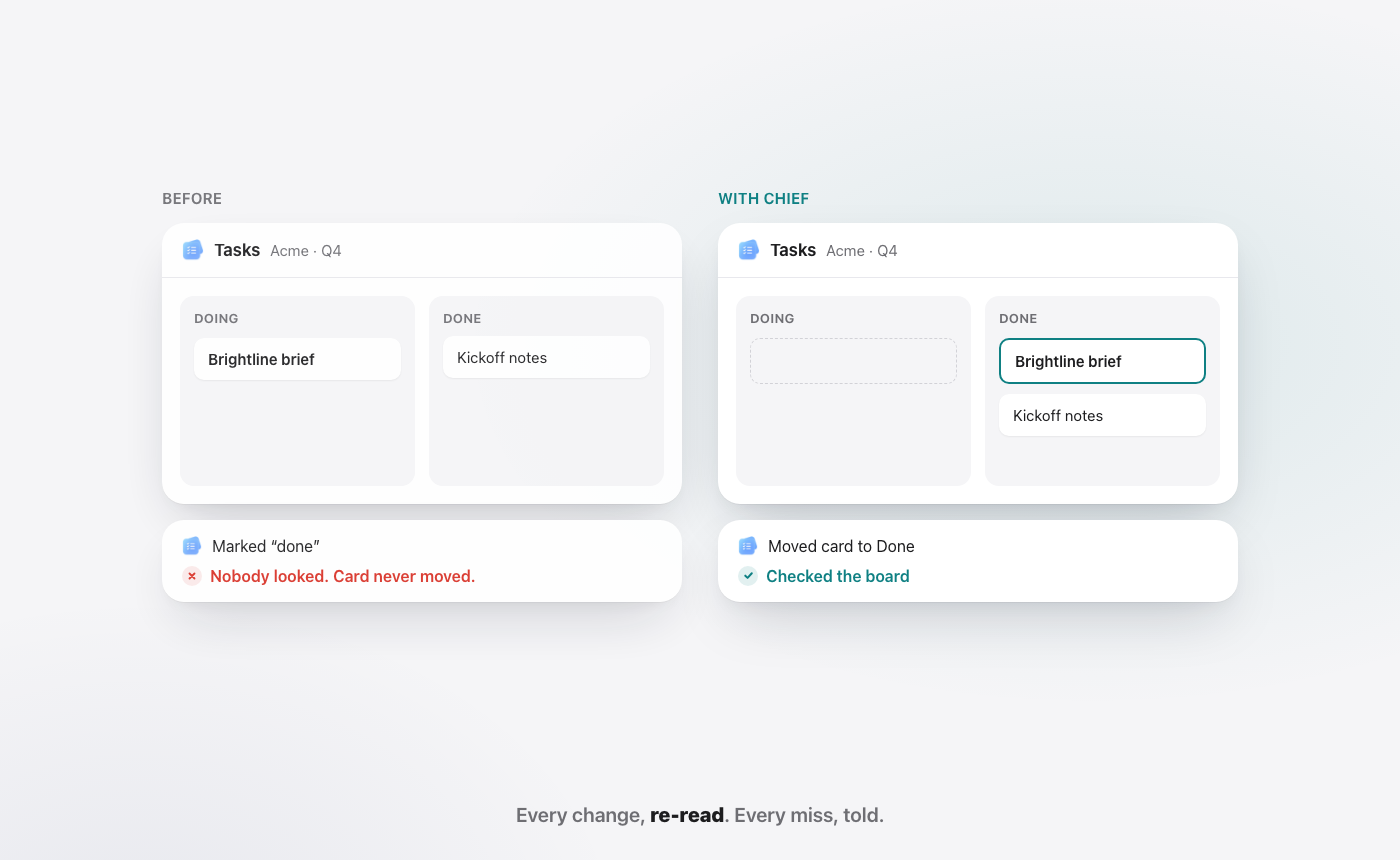
There is a second trap. A card marked Done is a claim, not a check. Status reports are only as good as the last person who updated them, which is why we wrote about visible progress vs actual progress.
How does WorkElate handle tracking?
WorkElate is an AI-native office suite with Tasks alongside Mail, Docs, Sheets, Slides and Calendar. Chief, its AI, works across all of them, so it can do the follow-up a task needs, not only record it.
- It acts on the task. Ask Chief to send Acme the Q3 update. It reads the sheet and drafts the email.
- It asks first. Nothing sends, shares or deletes without your yes.
- It checks its work. When Chief moves a card to Done, it re-reads the board to confirm the change landed, and tells you when one did not.
- It shows what is slipping. Start my day lists what needs you, what is slipping and what was handled, each with a reason.
WorkElate keeps tracking light. If you need detailed Gantt charts, portfolios or resource planning across dozens of projects, a dedicated project tool will serve you better. Our compare pages set out where other tools lead.
FAQ
What is the main difference between the two?
Task tracking follows individual pieces of work by owner, due date and status. Project tracking follows a set of tasks toward one outcome, with milestones, dependencies, budget and a deadline. Task tracking asks "is this done?" while project tracking asks "will the whole project land on time?"
Is task tracking the same as a to-do list?
Close, but not quite. A to-do list is usually personal. Task tracking adds shared ownership, due dates and status, so a team can see who is doing what. A shared board is task tracking; a note on your phone is a to-do list.
Which is better for a small team?
Start with task tracking. Most small teams get more from a clear shared board with named owners than from a full project plan nobody updates. Add project tracking when the work has real dependencies and a deadline that a client or leader is watching.
Can one tool do both project tracking and task tracking?
Yes. Most project tools let you group tasks into projects and switch between a task view and a project view. The key is that both views read from the same tasks, so status is never kept in two places.
Start free on WorkElate and let Chief do the follow-up on your next task.


